Migrating from Rewardful
RevRoute Partners is only available on Business plans and above .
Rewardful is a popular affiliate management platform, especially among SaaS companies.
If you’re moving your program to RevRoute Partners , here’s what you get:
- Partner payouts in rubles: RevRoute pays your partners for you — to Russian bank cards or via SBP (the Faster Payments System).
- Flexible rewards: 3 reward types — per click, per lead, and per sale (flat or percentage), reward conditions — e.g. a higher rate for customers from a specific country — and bounties.
- Analytics: conversion tracking and stats by source, device, and country, including natural-language queries.
- Embedded referral dashboard (Advanced plan and above): embed a referral dashboard right in your app.
- Offer marketplace (Enterprise plan): your program is listed in the RevRoute catalogue , where partners find and join offers themselves.
In this article, we’ll learn how to import your Rewardful affiliate program to RevRoute Partners for a more powerful, scalable, and branded partner management experience.
How to migrate from Rewardful to RevRoute?
If you’re looking to migrate from Rewardful to RevRoute Partners, we’ve built a custom migration tool that will help you migrate everything over in just 2-3 clicks – without breaking any existing Rewardful affiliate links.
Add a custom domain to your RevRoute workspace
Before starting the migration process, you’ll need to add a custom domain to RevRoute. This domain will be used to create short links for each affiliate link that we import from Rewardful.
If you haven’t added a custom domain to RevRoute yet, you can follow this guide to set that up.
Set up conversion tracking + client-side click-tracking
Next, set up conversion tracking to track signup and sale events. We also have some in-app guides that you can reference here .
For backward compatibility, we also recommend setting up client-side click-tracking when installing the RevRoute Analytics script on your site. This will ensure all your existing domain.com?via=affiliate links will keep working as expected, which gives affiliates time to update their links to the new format.
The client-side installation guide walks through enabling click tracking for your RevRoute short links.
Get your Rewardful API Secret
Go to your Company settings page on Rewardful to retrieve your Rewardful API secret:
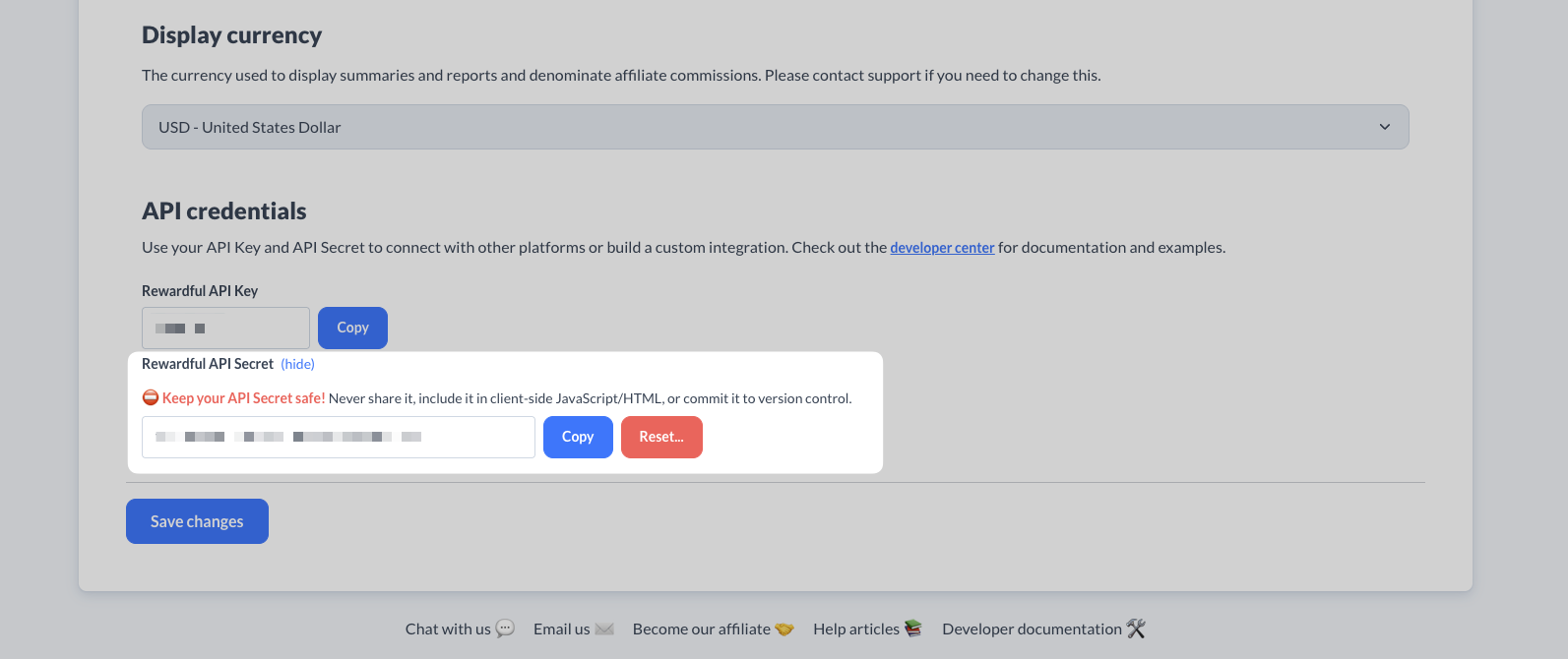
We will use this API key to retrieve and import your existing Rewardful campaign to RevRoute.
Import your Rewardful campaign
Once you’ve set up your RevRoute partner program, open the import dialog with this direct link: app.revroute.ru/program/partners?import=rewardful . For now, the Partners section menu doesn’t have an import option.
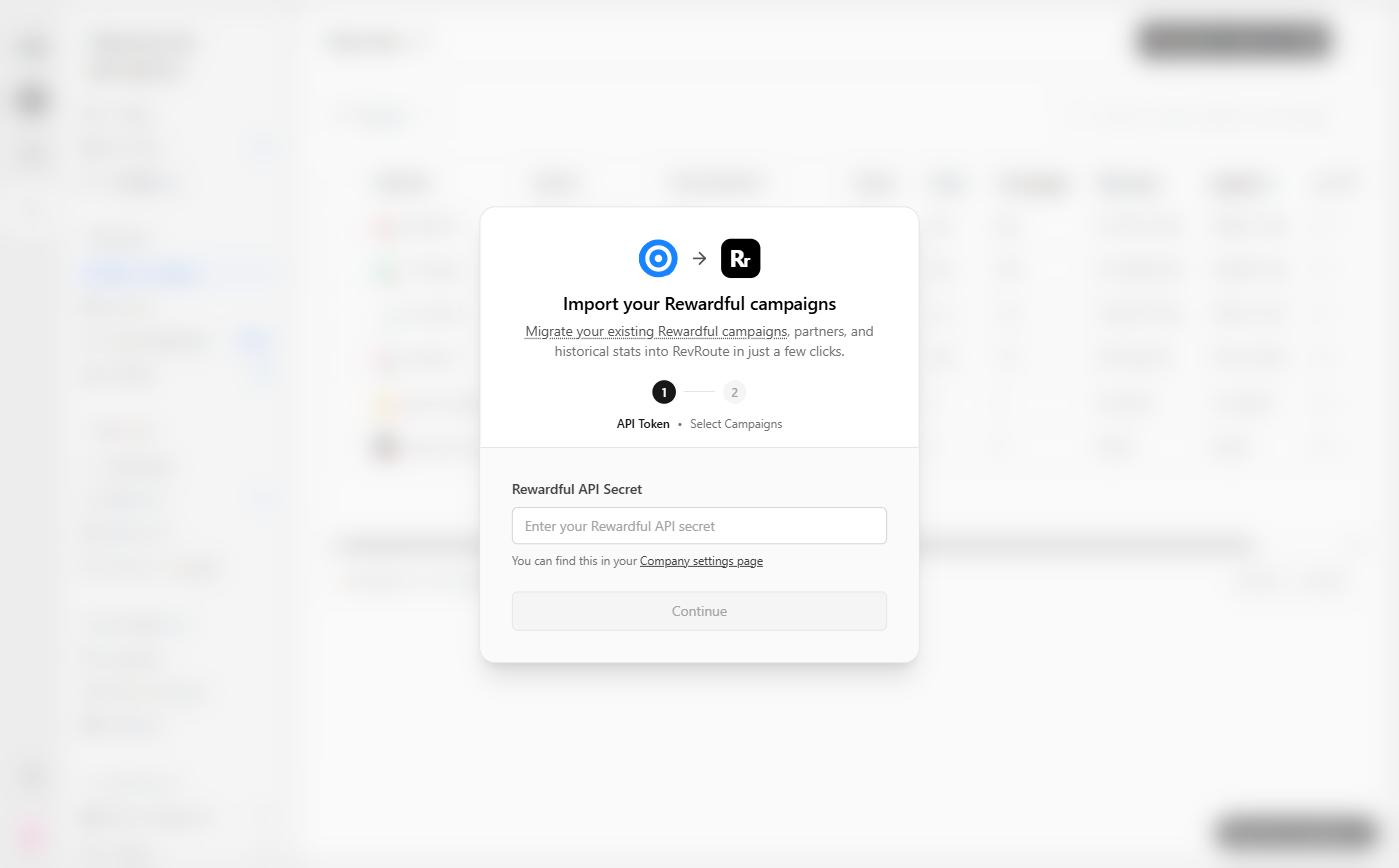
Enter your Rewardful API Secret and click Continue, then choose the main campaign to import in the Select Campaigns step.
If you have multiple campaigns on Rewardful, you can import multiple campaigns to RevRoute.
What data is migrated?
Our Rewardful migration tool imports the following attributes to RevRoute Partners:
Program terms
Depending on the Rewardful campaign you import, we’ll automatically configure the same reward rules on your RevRoute partner program:
- Commission type (dollar amount or percentage) and amount
- Commission duration (e.g. up to 12 months or lifetime recurring)
Affiliates / Partners
To ensure the efficiency of your partner program, we automatically filter out dormant affiliates and only import the ones that both:
- Are in an “active” state (docs )
- Have at least 1 lead / referral
We also automatically import all your affiliates’ links and recreate them in RevRoute using your program’s domain and default URL.
Referrals / Customers
By default, we import all referrals that are associated with an affiliate in your Rewardful campaign. This ensures that all subsequent subscription renewal events will continue to be tracked on RevRoute.
Referrals that do not have a valid billing-system customer ID will not be imported.
Commissions
We also import all commissions associated with any customers that were imported above. Depending on the commission state on Rewardful, they will be marked accordingly on RevRoute as well:
| Rewardful | RevRoute |
|---|---|
Pending | Pending |
Due | Pending |
Paid | Paid |
Voided | Canceled |
RevRoute also supports these additional commission states:
Processed: When a commission has been added to a payout (after any applicable holding period).Refunded: When the sale for the commission was refunded. Refunds are automatically detected when you forward refund events from your billing system (YooKassa or a custom integration) to RevRoute.Fraud: Useful for marking a sale as fraudulent and excluding it from any future payouts.Duplicate: Useful for marking if a commission was rewarded more than once and needs to be marked as a duplicate event.
Similar to referrals, commissions for referrals that do not have a valid billing-system customer ID will not be imported.
If there are any other attributes that you’d like to see migrated (or if you would like to customize any of the rules above), please send us an email to let us know!
Migrating multiple campaigns
If needed, you can migrate multiple Rewardful campaigns to RevRoute. We recommend starting with the main campaign, and then restarting the import flow to import the remaining campaigns. Our importer is idempotent, so it will import everything only once.
To import another campaign, open the Rewardful import dialog again and repeat the steps.
Each campaign that is migrated to RevRoute will create a new partner group with the imported partners. If needed, you can also delete the imported partner groups to consolidate partners under your main program reward.
Next steps
After importing your campaign, here are some recommended next steps:
1. Set up your bank account for partner payouts
RevRoute Partners supports 1-click payouts: earnings are aggregated and paid out in rubles through the built-in payment infrastructure.
RevRoute pays partners through its built-in payment infrastructure — by Russian bank card or SBP. See how to top up your payout balance before running your first payout batch.
2. Notify your affiliates about the platform change
Next, you’ll want to reach out to your existing partners and let them know about the platform change. To do that, you can send them an email with the following example verbiage:
Hey,
Starting today, we are switching the [Your Company] Affiliate Program from Rewardful to RevRoute Partners .
To get started, follow these steps:
- Sign up for a RevRoute Partners account here:
partners.revroute.ru/{your_program_slug}/register- Connect a payout method to receive your commissions.
- Start sharing your shiny new referral link with your audience 🚀
Let us know if you have any questions!
Need help?
If you need help migrating your program, contact us .