Archiving domains on RevRoute
You can archive your custom domains on RevRoute to better manage your domains.
When you archive a domain:
- The domain will not show up in the link builder
- The domain will be hidden from the Active list on the domains page
- Its links will continue to work and will still show up on the links dashboard
To archive a domain, follow the steps below:
- Go to Settings → Domains.
- Click the
⋮button next to the domain you want to archive and, under the Domain settings section, select Archive.
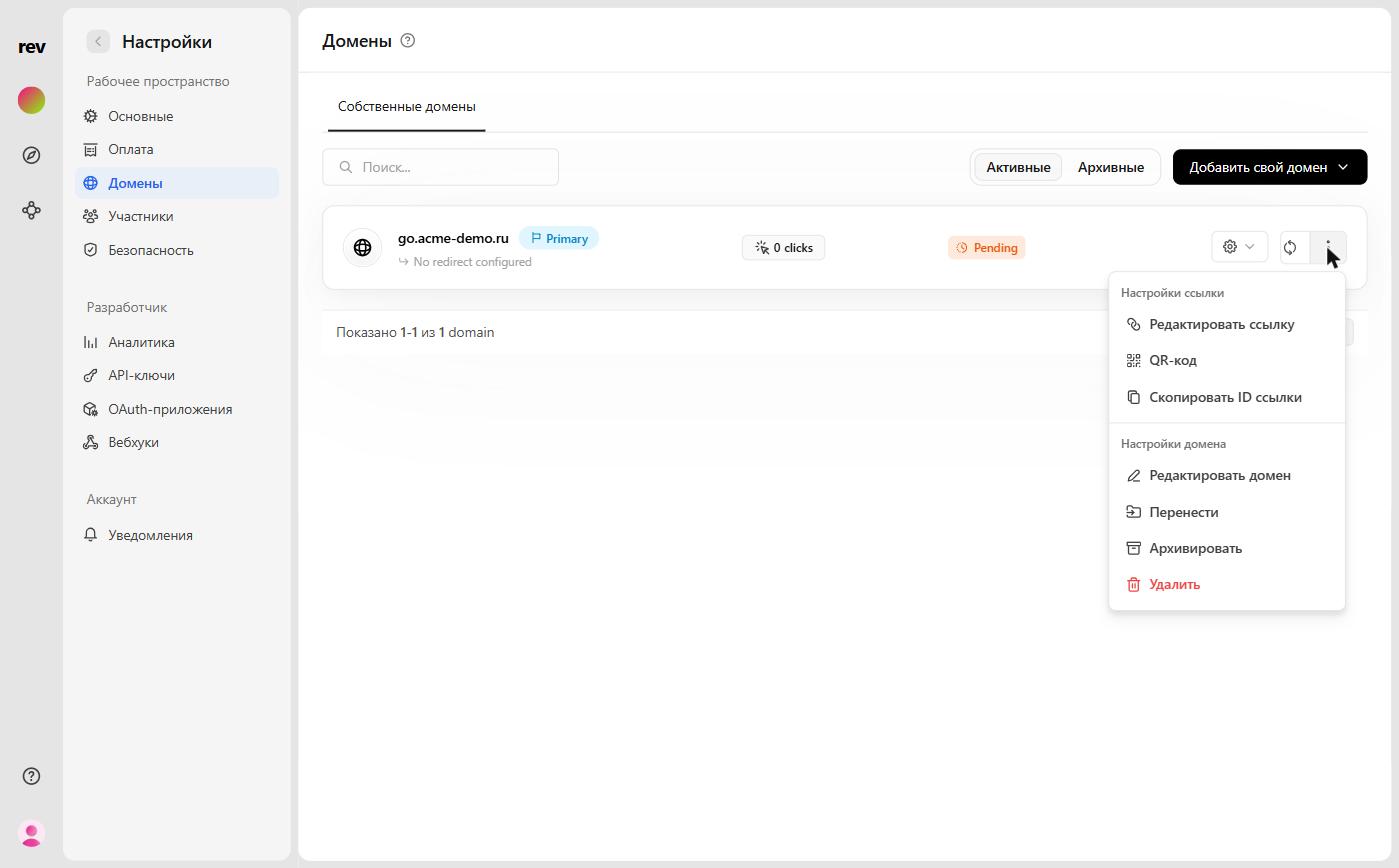
- Confirm the archiving in the dialog that appears.
The domain will now be archived and will no longer show up in the active domain list. You can find it under the Archived tab on the domains page and unarchive it from there.
Last updated on