How to join a partner program and set up payouts
The path from a program link to the first payout takes four steps: an application, a partner account, approval by the program and your tax status. The first three are the same for everyone and are on this page. The fourth depends on who you are — self-employed, a sole proprietor or a legal entity — and is linked at the end. Without a tax status, earnings accrue but are not paid.
Apply to the program
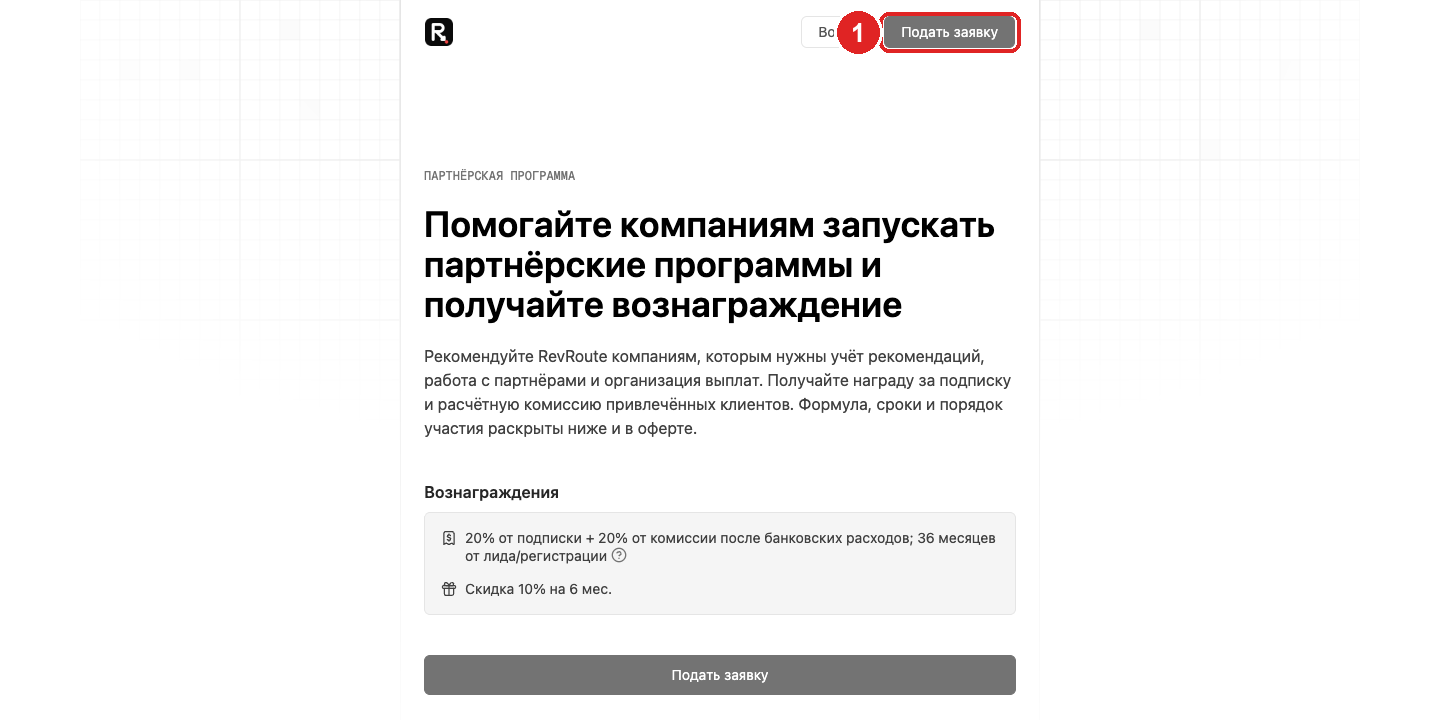
1. Apply on the program page
Open the program link (partners.revroute.ru/<program>) and click Apply. The page lists the
reward terms, payout threshold and holding period; the program’s offer is linked from the same page.
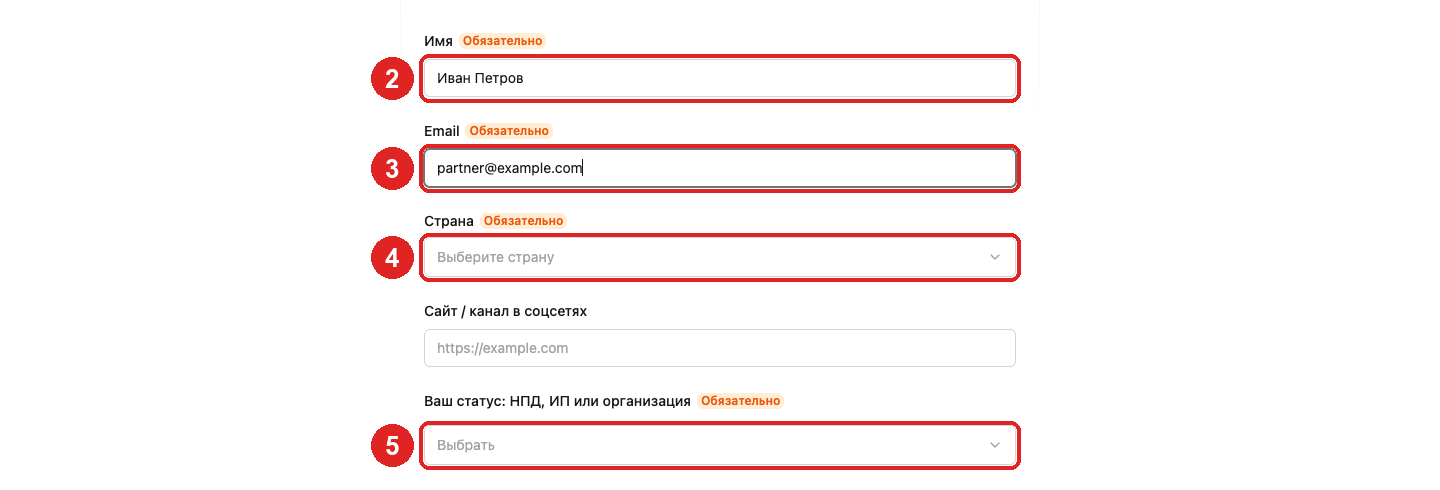
2. Name
The name the program will see you under: sole proprietors and companies may include the legal form.
3. Email
The verification code and program notifications go here. It also becomes your login.
4. Country
Start typing the name and pick the country from the list.
5. Status
Choose how you will receive payouts: self-employed, sole proprietor or organization. Individuals without one of these statuses are not admitted.
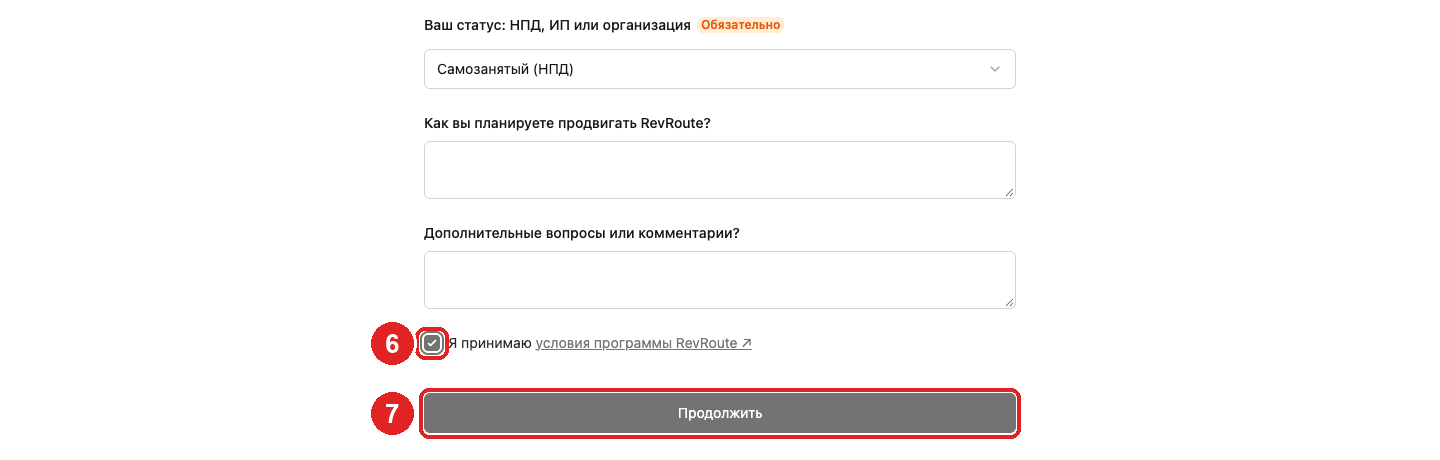
6. Program terms
Answer the program’s questions (optional) and tick I accept the program terms — the link next to it opens the offer.
7. Continue
Click Continue. The application is saved; what’s left is the account.
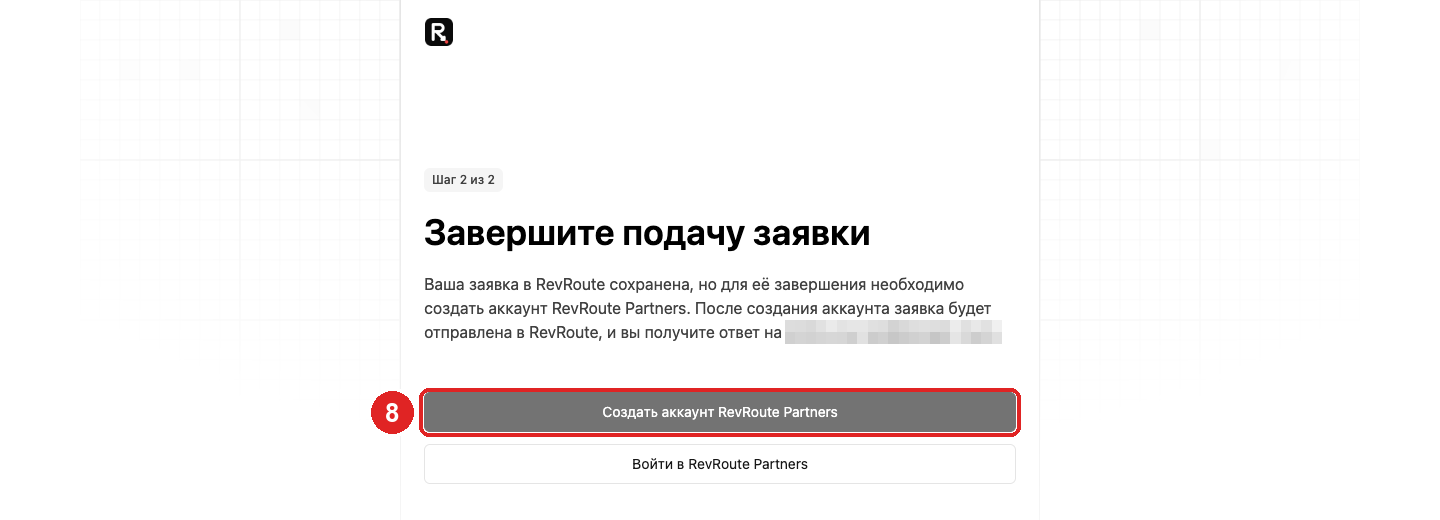
Create a partner account
8. Create account
On step 2 click Create a RevRoute Partners account. If you already have one, click Sign in and the application attaches to it.
9. Password and code
The email is prefilled from the application. Set a password (at least 8 characters with a digit, an uppercase and a lowercase letter), click Create account and enter the six-digit code from the email. The code is valid for 10 minutes; if it didn’t arrive, click Resend and check spam.
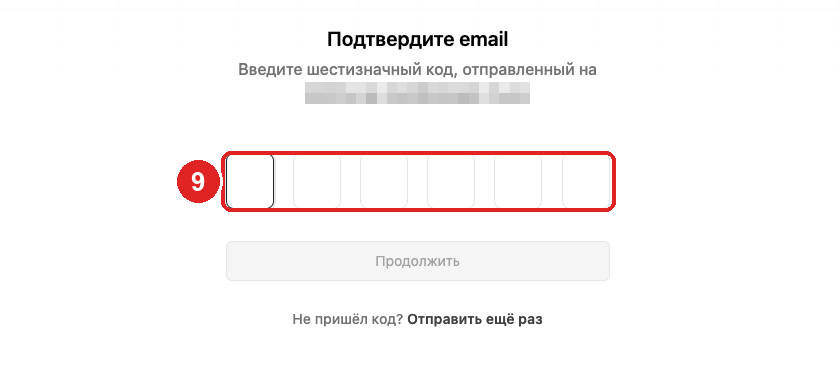
Next the dashboard offers to add your website and social accounts — you can skip this and return to it later in your profile.
Wait for approval
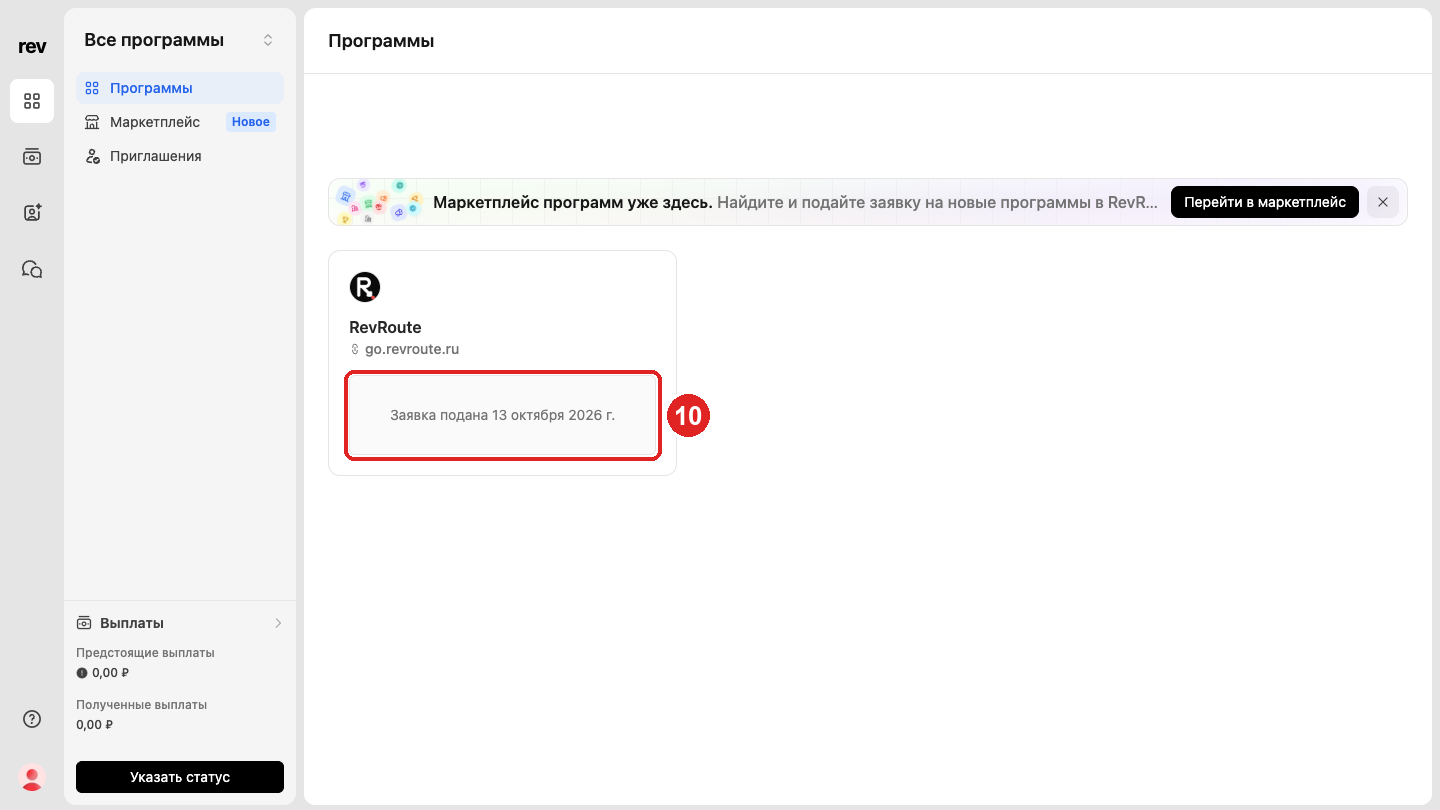
10. Application submitted
In Programs, the program card shows Application submitted with the date. The program reviews it; once approved, the card shows your partner link and the program sections appear in the left menu. While the application is pending you can already set your tax status.
Next: payouts for your status
For your earnings to be paid, set your tax status in the payout settings. The form and the steps after it depend on the status — pick your guide:
Self-employed
INN and phone as in “Moy Nalog”, platform permissions in “Moy Nalog”, bank details in the RocketWork X app. RocketWork issues the NPD receipt.
Sole proprietor
INN and phone as registered in RocketWork, the settlement account in the RocketWork X app, a sole proprietor contract.
Legal entity
Company and bank details, a registry check by the bank, money to the settlement account with nothing to sign.
The common rules — holding period, minimum amount, contract signing and FAQs — are in How to receive payouts from programs.