Legal entity payouts: company details and settlement account
Programs pay companies to their settlement account through RevRoute’s nominal account at T-Bank. No contracts or receipts to sign per payout: you fill in the company and bank details once, and the bank checks the company against the EGRUL registry.
By now you have applied to the program and created a partner account — if not, start with How to join a partner program.
Set your tax status
1. Set status
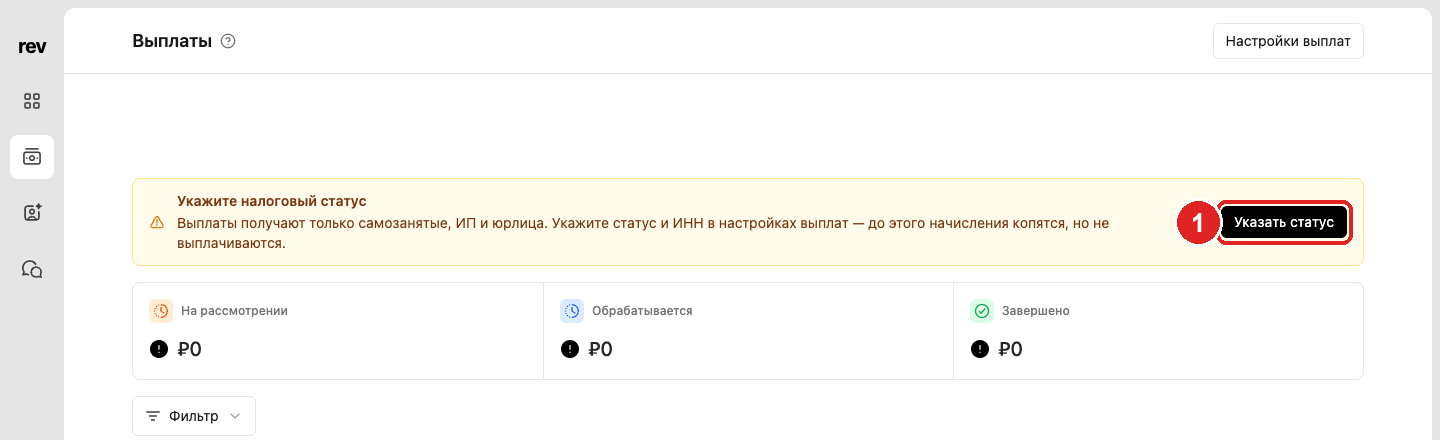
Open Payouts in the left menu. Until the status is set, a warning Set your tax status stays at the top of the page — click Set status. The same form opens from Payout settings at the top right.
2. Status: legal entity
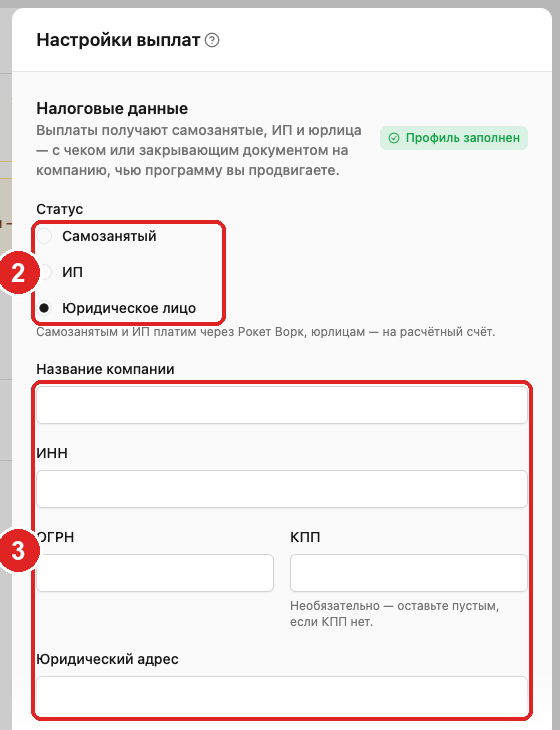
In Tax details choose Legal entity — the form switches to company details.
3. Name, INN, OGRN, KPP and address
Company name — as in EGRUL. INN — 10 digits, OGRN — 13. KPP is optional: leave it empty if you don’t have one. Legal address — from the EGRUL extract: the bank checks the company against these details.
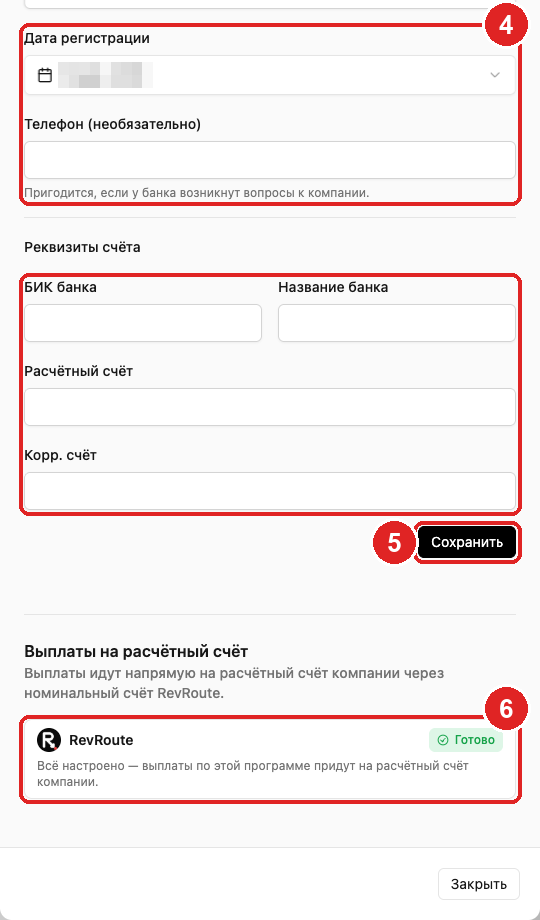
4. Registration date, phone and bank details
Registration date — from EGRUL. Phone is optional but useful if the bank has questions about the company. In Bank details: BIC and bank name, settlement and correspondent account — the money arrives to this account.
5. Save
Click Save. The badge changes to Profile complete and the warning on the payouts page changes to “Payout setup not finished” until the bank’s check completes.
Bank check
After saving, RevRoute passes the details to the bank for every program that pays legal entities. In the Settlement account payouts block each program gets a status:
| Status | What to do |
|---|---|
| Checking | Nothing: the bank is verifying the company against EGRUL. The status refreshes every 10 minutes. |
| Rejected by the bank | The bank didn’t confirm the company in EGRUL — compare INN, OGRN and name with the extract and save again. |
| Setup not finished | Nothing: the program is still setting up payouts to legal entities. |
| Ready | Everything is set up, the payout goes through automatically. |
The details are shared across programs: pass the check once and you get Ready everywhere a program pays legal entities.
6. Status: Ready
Once the bank confirms the company, the program shows Ready and the warning on the payouts page disappears. From then on payouts from this program arrive to the settlement account without any action from you.
Money and documents
The program starts the payout once commissions pass the holding period and reach the minimum amount. If the amount is below the minimum, the payouts page shows “min.” and the program’s threshold next to it — the payout accumulates until the next period. Nothing to sign: after the program confirms the payout, the money goes to the company’s settlement account; the amount sent to the bank is in whole rubles.
7. Payout status
On the Payouts page a payout is Pending until the program confirms it. After confirmation it is Sent: the bank is processing the transfer, the Paid column says “processing” and the amount is counted in the Processing card. When the money arrives, the status changes to Completed and the Paid column shows the date.
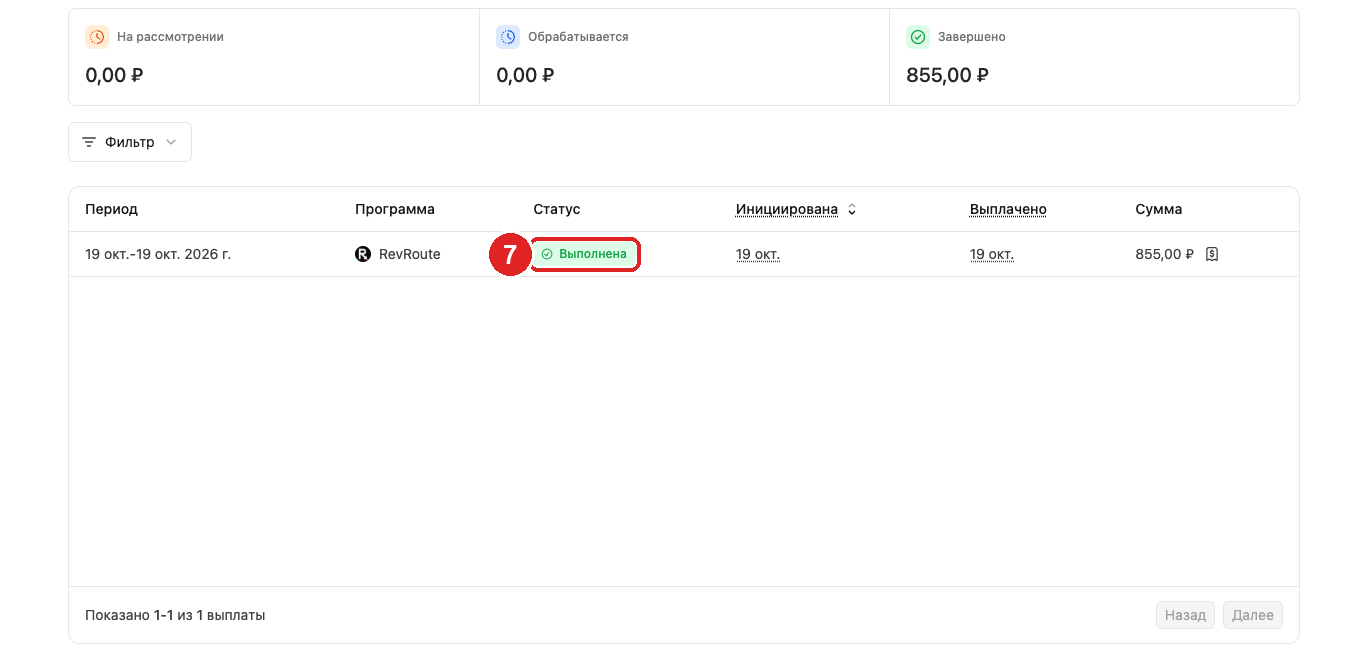
Each payout’s status is on the Payouts page; why a payout may be delayed — in the FAQs.