Sending partner payouts on RevRoute
This feature is only available on Business plans and above .
RevRoute Partners supports one-click (or fully automated) payouts to your partners across Russia and the CIS via the platform’s built-in payment infrastructure, saving you upwards of 40+ hours a month.
If you’re running a partner program with hundreds of partners, you can avoid manually sending each payout or having to worry about payout failures. RevRoute lets you pay partners in one click, with reporting prepared for your accounting team.
Supported payout methods
RevRoute transfers commissions to partners via the platform’s payment infrastructure. The following destinations are supported:
| Method | Description |
|---|---|
| Bank card | Russian bank card (Mir, Visa/Mastercard with a Russian issuer). The partner saves a card via a secure payment widget. |
| SBP | Faster Payments System — transfer by phone number to one of the supported banks. |
Payouts are sent in RUB. International cards are not supported for payouts.
Tax handling
Partners in Russia are responsible for their own taxes. Most fall into one of these categories:
- Self-employed (NPD regime) — the partner issues a receipt in the Moy Nalog (“My Tax”) app for each payout. Tax: 4% on payments from individuals, 6% on payments from businesses.
- Sole proprietor (IP) — the partner declares the income under their own tax regime.
- Private individual — your company acts as a tax agent. You must withhold and remit personal income tax (NDFL) yourself.
RevRoute does not withhold or remit taxes on the partner’s behalf. Make sure
to collect the partner’s tax status (profileType in the partner profile)
and arrange the appropriate accounting workflow.
Payouts dashboard
To view your payouts, go to your Partner Program tab and click on the Payouts page.
At the top of the page, you’ll see a summary of your pending and completed payouts:
Pending payouts
This shows the total amount of commissions that are eligible for payment.
Hovering over the total will show you:
- Eligible payouts – due commissions for partners who have configured their payout method.
- Ineligible payouts – due commissions for partners who have not configured their payout methods yet.
Once you have at least one pending payout on RevRoute, you can click the Confirm payouts button to review and confirm them.
Total paid
This shows the total amount of all commissions you’ve paid out to your partners.
Hovering over the total will show you:
- Completed payouts — payouts that have been sent and confirmed by the payment provider
- Processing payouts — payouts that are in progress (usually settle within minutes for SBP / card)
Click View invoices to access past payout invoices.
In the payout table below, you can track and manage your payouts, confirm pending ones, and review past activity.
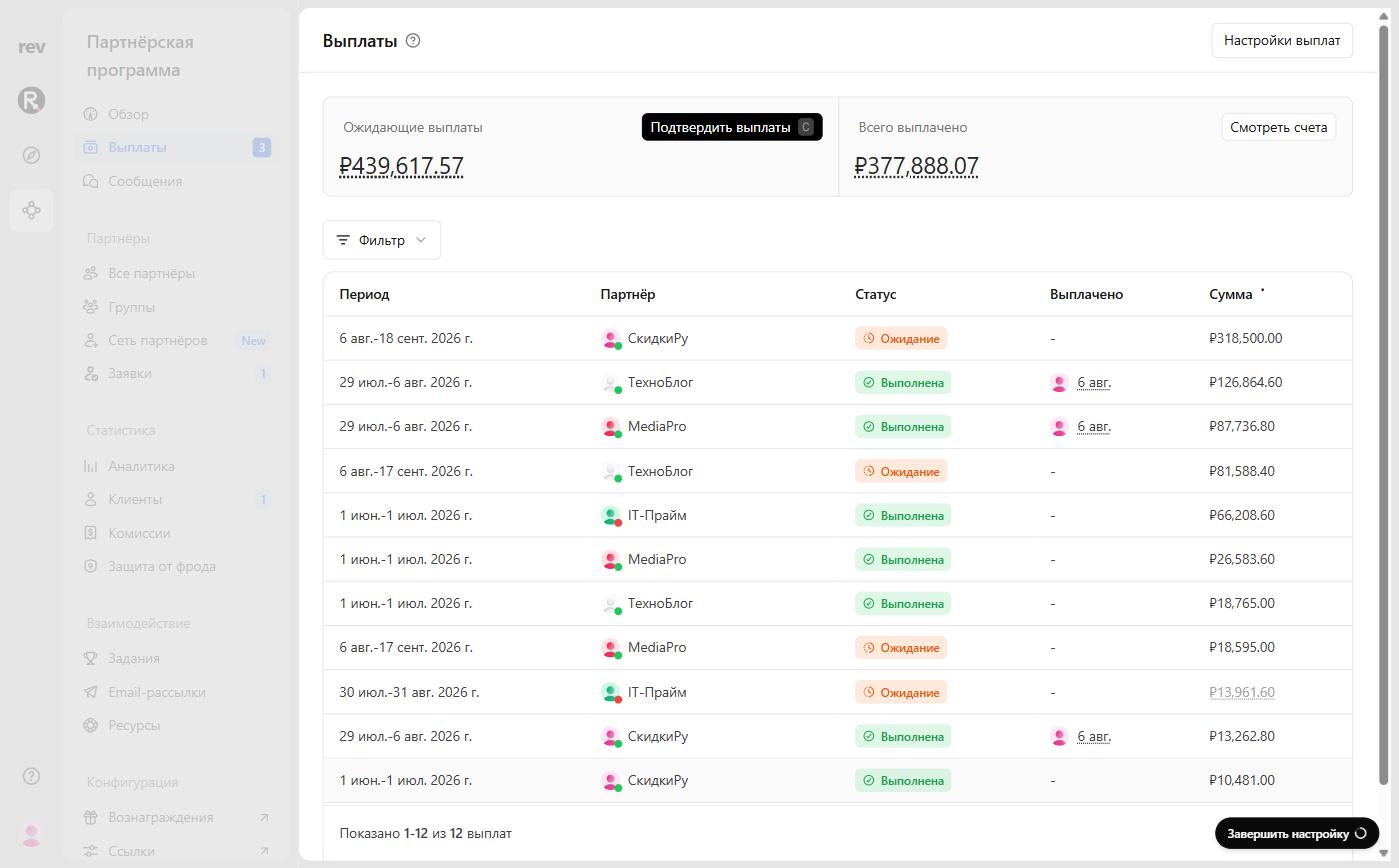
| Column | Description |
|---|---|
| Period | The payout range, starting from the date of the partner’s first commission to the end of the month of their last commission |
| Partner | The partner receiving the payout |
| Status | The current payout status |
| Paid | The date the payout was confirmed, and by whom |
| Amount | The total amount paid to the partner |
Payout statuses
A payout can have one of the following statuses:
| Status | Description |
|---|---|
| Pending | Payouts that have not been processed yet — either currently due, or waiting for the partner to configure their payout method, or below the minimum payout amount. |
| Processing | Payout was confirmed and dispatched to the payment provider. Most payouts settle within minutes; bank delays may push this up to several hours. |
| Sent | The payment provider accepted the payout and started transferring funds to the partner’s card / SBP destination. |
| Completed | The transfer was confirmed by the payment provider. Funds are on the partner’s card or SBP account. |
| Failed | The transfer was rejected — usually because the card was blocked, expired, or the SBP destination did not exist. The partner needs to update their payout method and you can retry the payout. |
| Canceled | For payouts that have been canceled — usually when a partner is banned from the program. |
Status updates come from the payment provider’s events. RevRoute applies them automatically — there’s nothing for you to wire up.
Payout holding period
On RevRoute, you can also set a “payout holding period” to specify how long your commissions will be held in “pending” status before becoming eligible for payout.
This is useful for safeguarding against potential refunds, chargebacks, or fraudulent transactions.
If a sale tracked via your billing system (YooKassa or a custom
integration) is refunded, RevRoute will mark the corresponding commission as
refunded
— provided you’ve passed invoiceId when tracking the original sale.
To set a payout holding period for your program, go to your individual groups and click on the Settings tab. Here you’ll find the payout holding period settings in the “Additional settings” group.
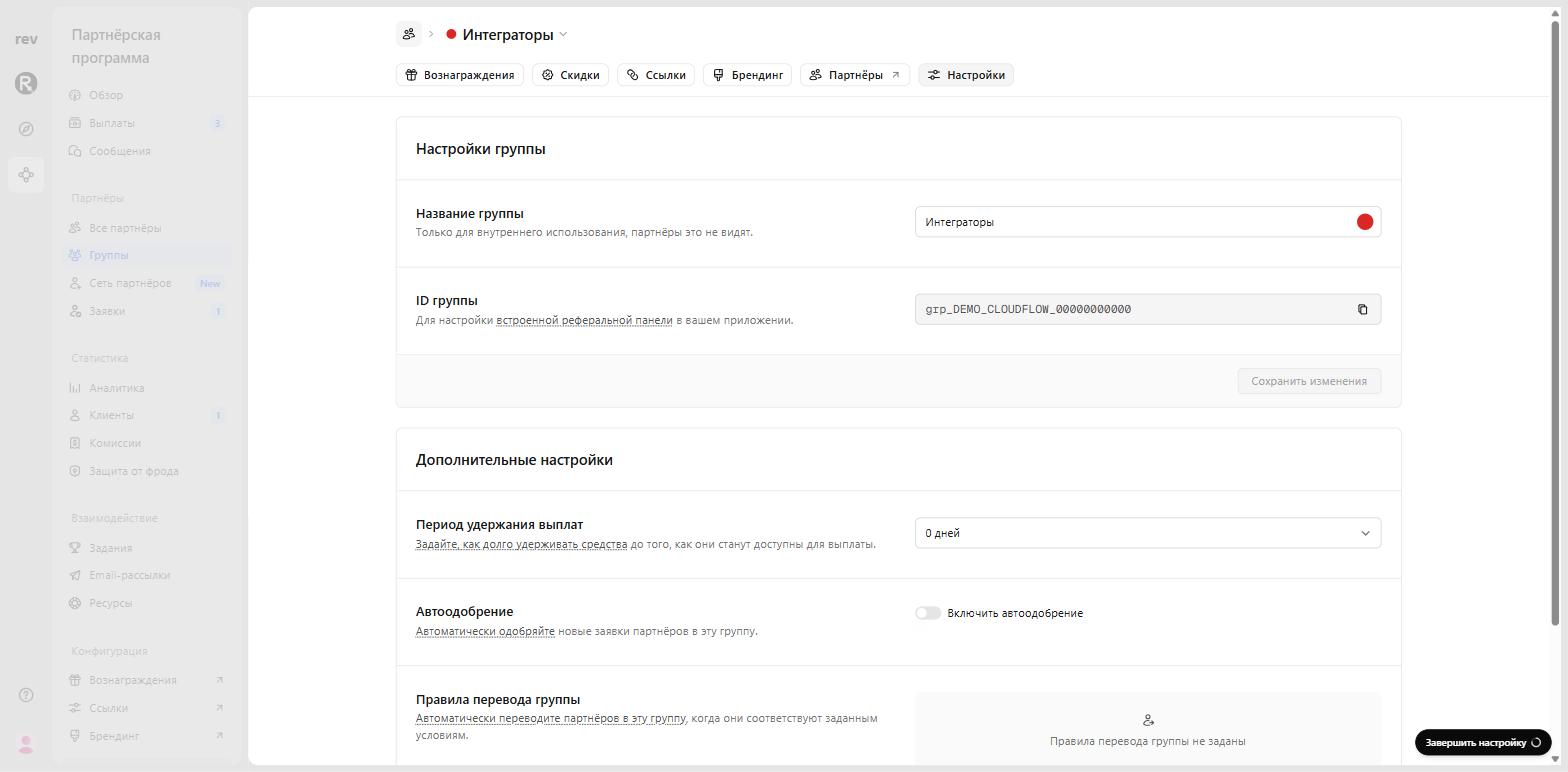
Your options include the following:
- 0 days (default)
- 7 days
- 14 days
- 30 days
- 60 days
- 90 days
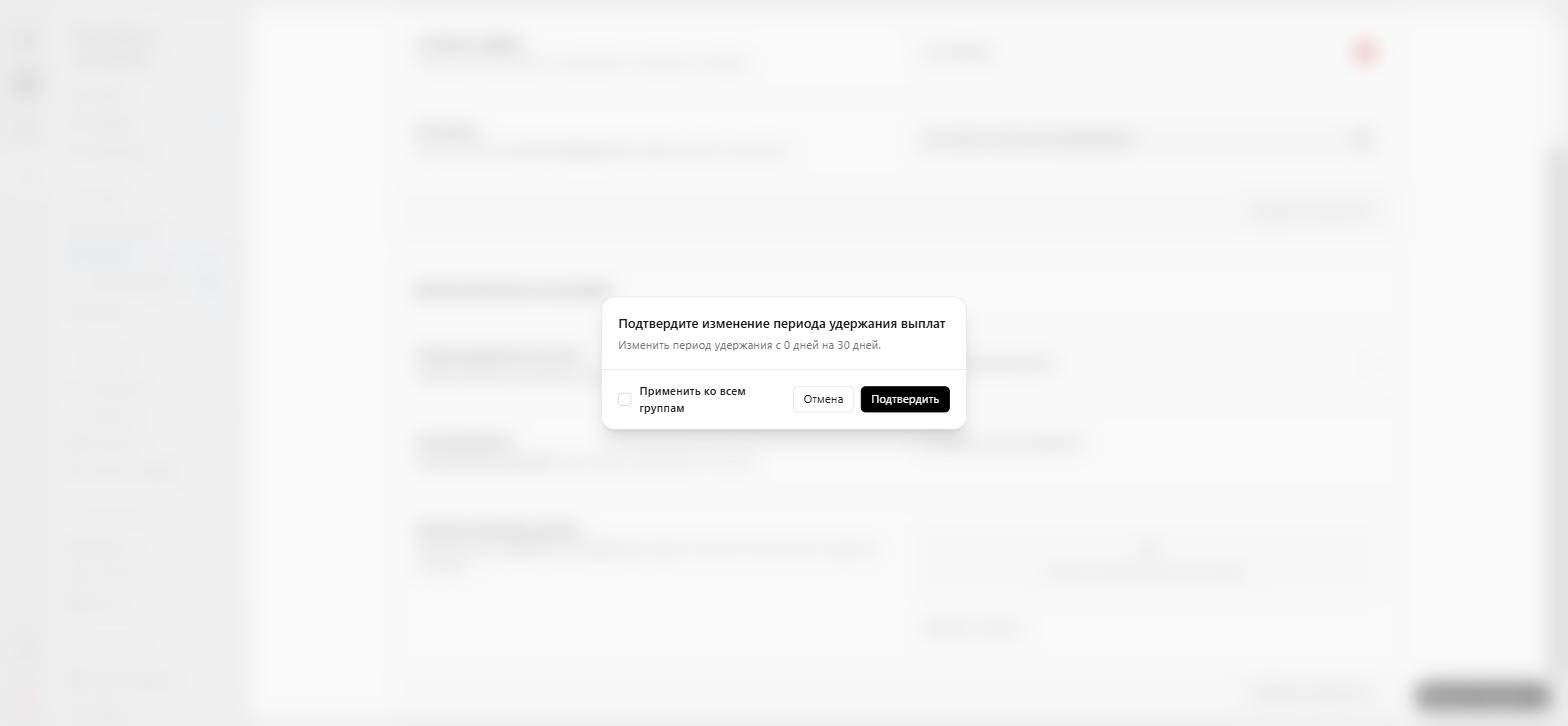
When you update the payout holding period, you can apply the new setting to every group at once. Just select the box labelled Apply to all groups before confirming. The change will take effect right away.
Minimum payout amount
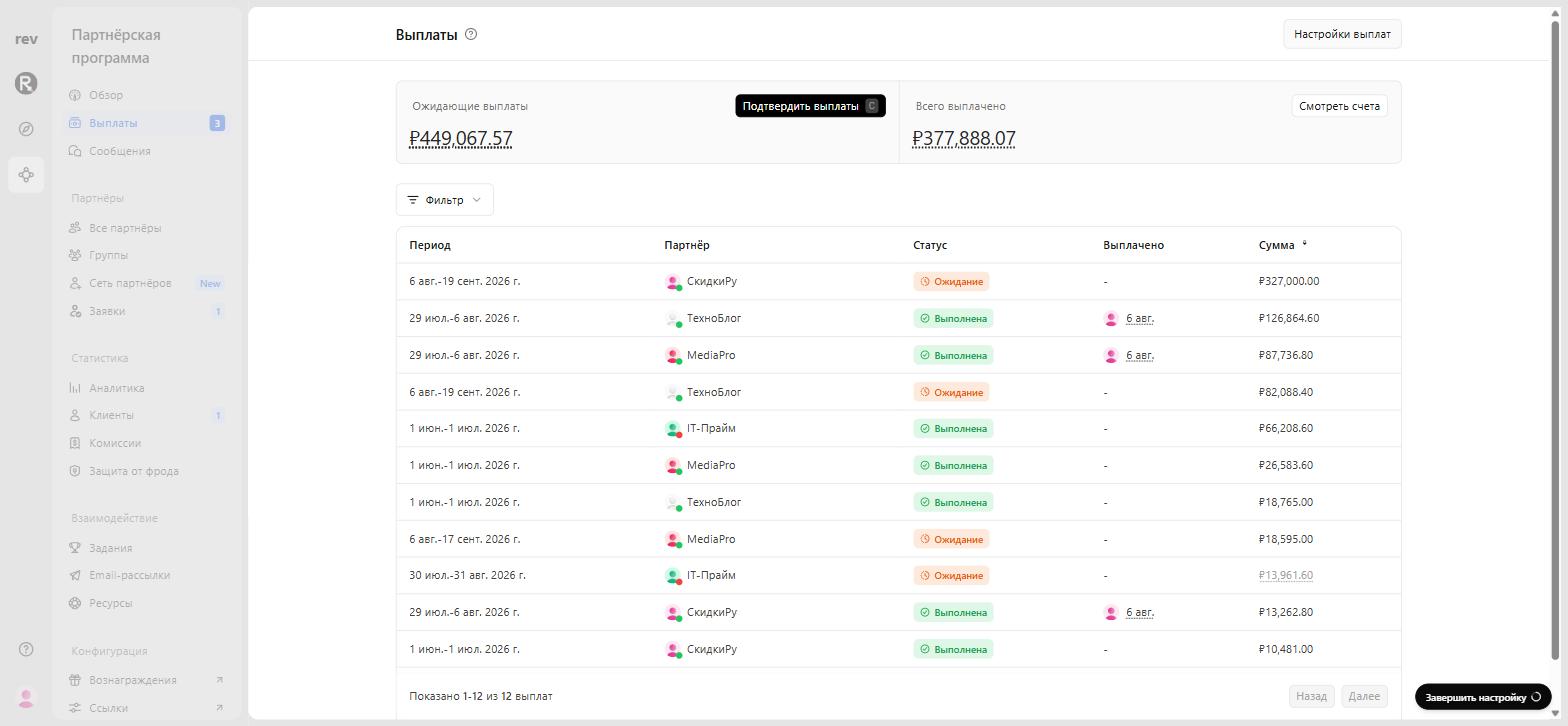
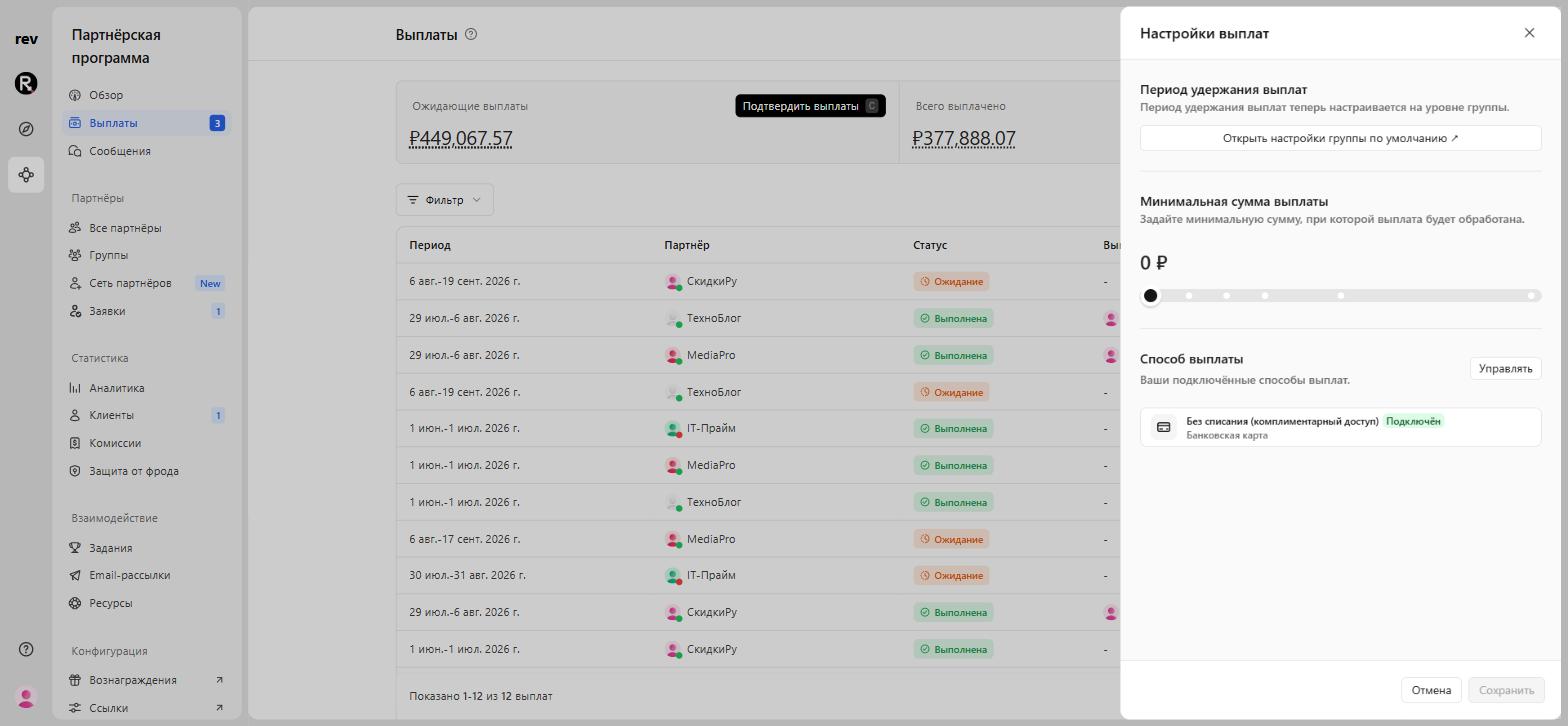
You can also set an optional “minimum payout amount” (e.g. 1 000 ₽). When this is set, partners with earnings below the minimum payout amount won’t be eligible for payout until they reach the specific threshold set.
Click the button in the top right to show the Payout settings. Unlike the payout holding period, this setting is program-wide.
How to pay your partners
When one or more of your partners have earned more than the minimum payout amount, click Confirm payouts from the payouts dashboard to open the payout details.
- Payout source: Your workspace’s payout balance. Make sure the balance is sufficient to cover the batch.
- Cutoff Period: If set, only commissions earned on or before this date will be paid. Useful for reconciliation payouts for a specific fiscal period (e.g. last month, last quarter) without including newer commissions.
If everything looks right, click Confirm payout to trigger a new payout to your partners.
Under the hood, RevRoute dispatches each payout as a separate payment order — to the saved card token or SBP destination from the partner’s profile, with an idempotency key derived from the payout ID.
Excluding payouts
In some cases, you may want to exclude a partner’s payout from the current batch. To do this, hover over the partner’s row in the payouts table and click Exclude. This removes the partner from the current payout batch.
If you need to add the partner back, hover over their row and click Include. This adds them back to the current payout batch.
Payout fees and timing
Per-transfer fees and settlement timing depend on the payment infrastructure and your service terms. As a rule of thumb, SBP transfers arrive within seconds and card payouts within a few minutes.
This section will be updated with details once the payment infrastructure upgrade is complete. For current terms, please contact RevRoute support .
Topping up the payout balance
To pay your partners, your workspace’s payout balance must have sufficient RUB funds. Most workspaces top up via direct bank transfer from their operating account; for current details and payment instructions, please contact RevRoute support .
RevRoute checks the balance before confirming a payout batch and will warn you if the balance is too low.