How to delete my RevRoute account?
First of all, if you’re reading this article and are looking to delete your RevRoute account, we’re sorry to see you go!
We would appreciate any feedback on how we could improve our platform – feel free to send us an email!
You can delete your RevRoute account by following the steps below:
- Open your account settings : click your avatar in the bottom-left corner and select Account settings.
- Scroll down to the Delete account section.
- Click the Delete account button and type
confirm delete accountin the input field to confirm. - After confirming, your account will be permanently deleted. Please note that this action is irreversible.
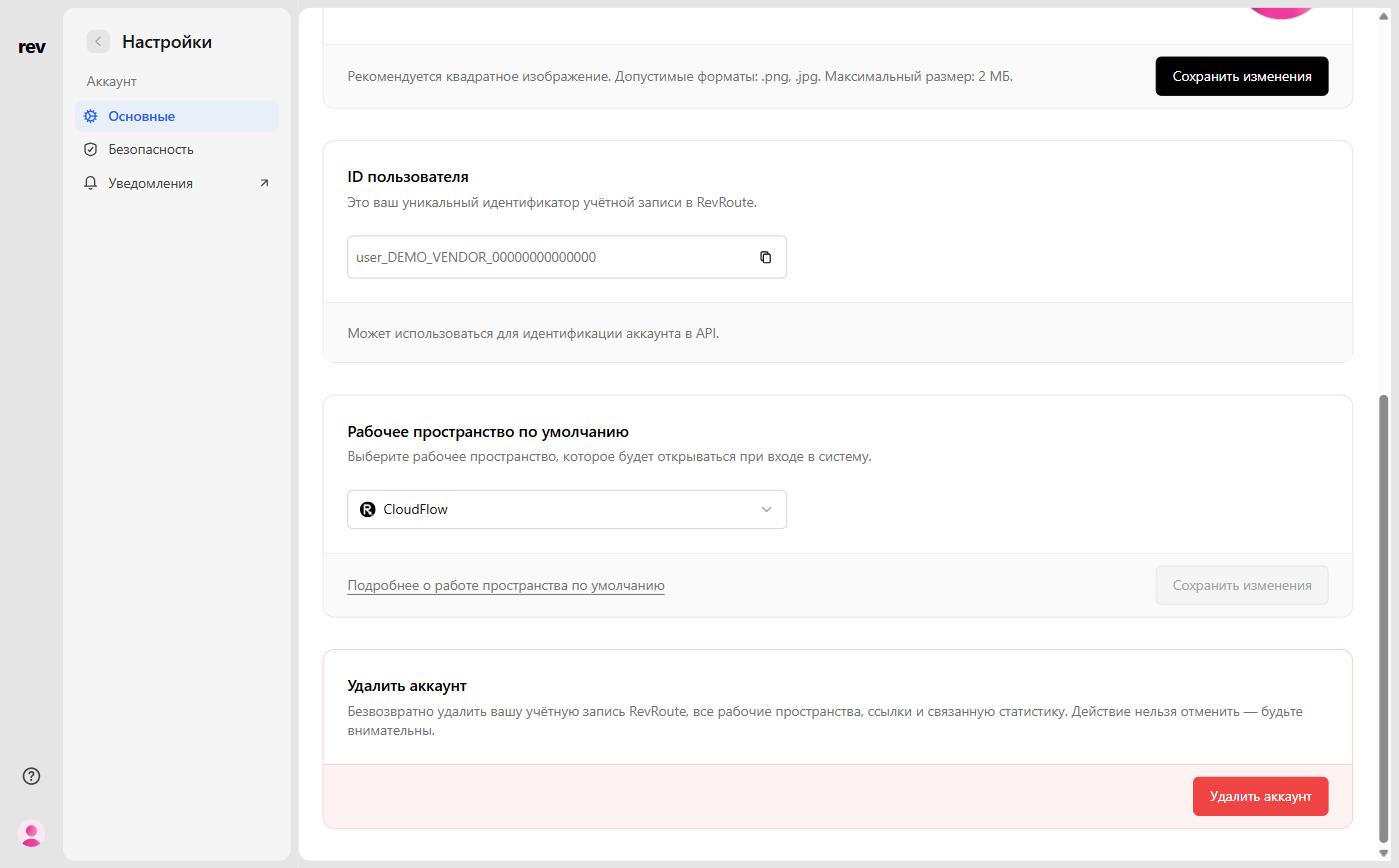
You cannot delete your account if you’re an owner of a workspace. You can either delete the workspace or transfer ownership to another user before deleting your account.
How to delete my workspace?
You can delete your workspace by following the steps below:
- Open your workspace settings: Settings → General.
- Scroll down to the Delete workspace section and click the button of the same name.
- To confirm, enter your workspace slug and the phrase
confirm delete workspace.
The workspace’s custom domains, all of its links, and their analytics are permanently deleted along with it.
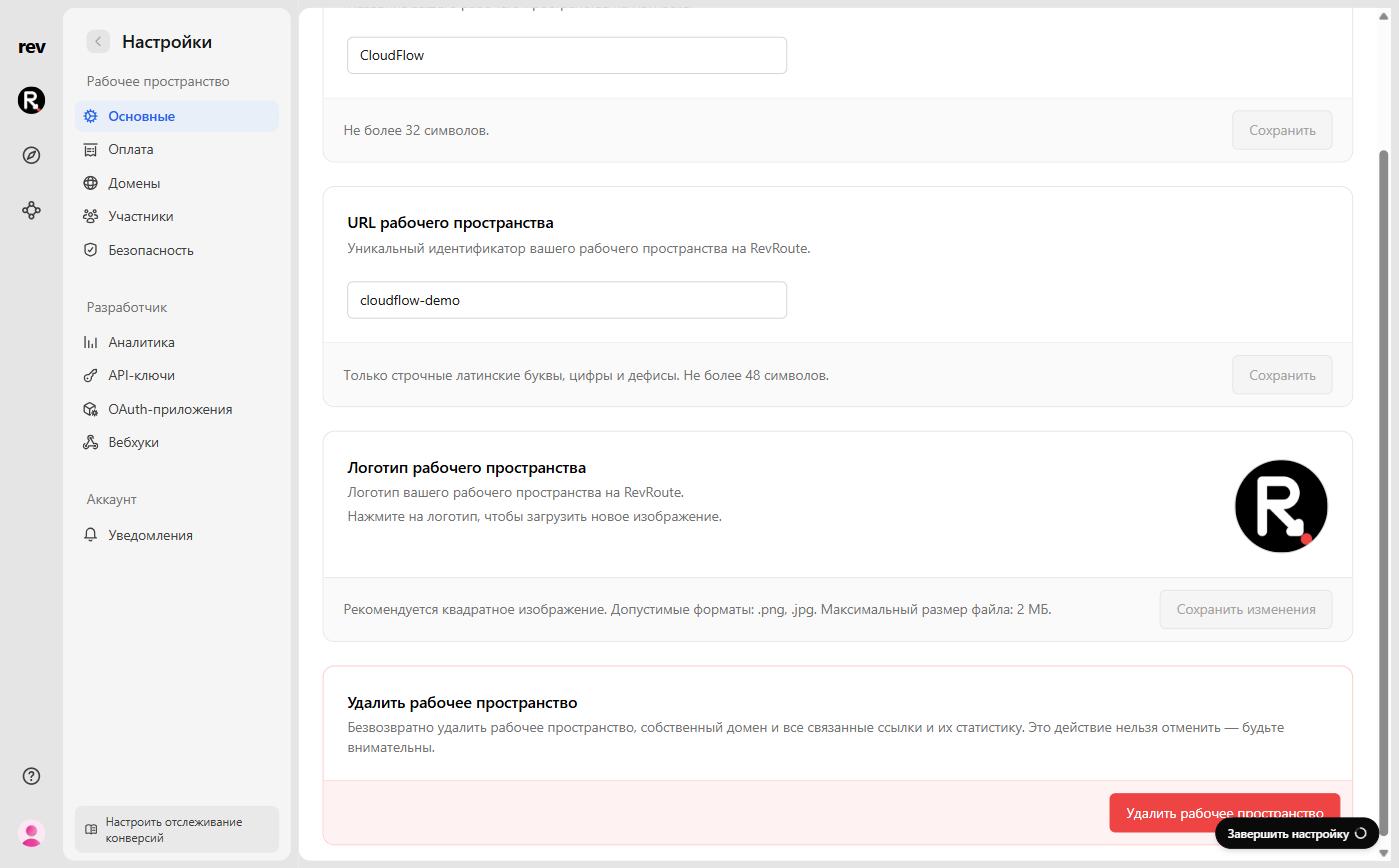
You can also open your workspace settings by inserting your workspace slug
into this link: https://app.revroute.ru/<slug>/settings.
If you have any questions or need further assistance, please contact our support team .
We hope to see you back someday!
When I delete my account, do you remove all my data?
Yes, when you delete your RevRoute account, all data associated with it will be permanently removed from our systems. Workspaces you own need to be deleted or transferred to another user beforehand — see the section above.
Your email address will also be removed from our mailing list, and you will no longer receive any emails from RevRoute.