Inviting partners to your program
This feature is only available on Business plans and above .
There are a few ways you can invite partners to join your affiliate/referral program on RevRoute Partners:
Inviting via the dashboard
The easiest way to invite a partner to join your program is by sending them an invitation email.
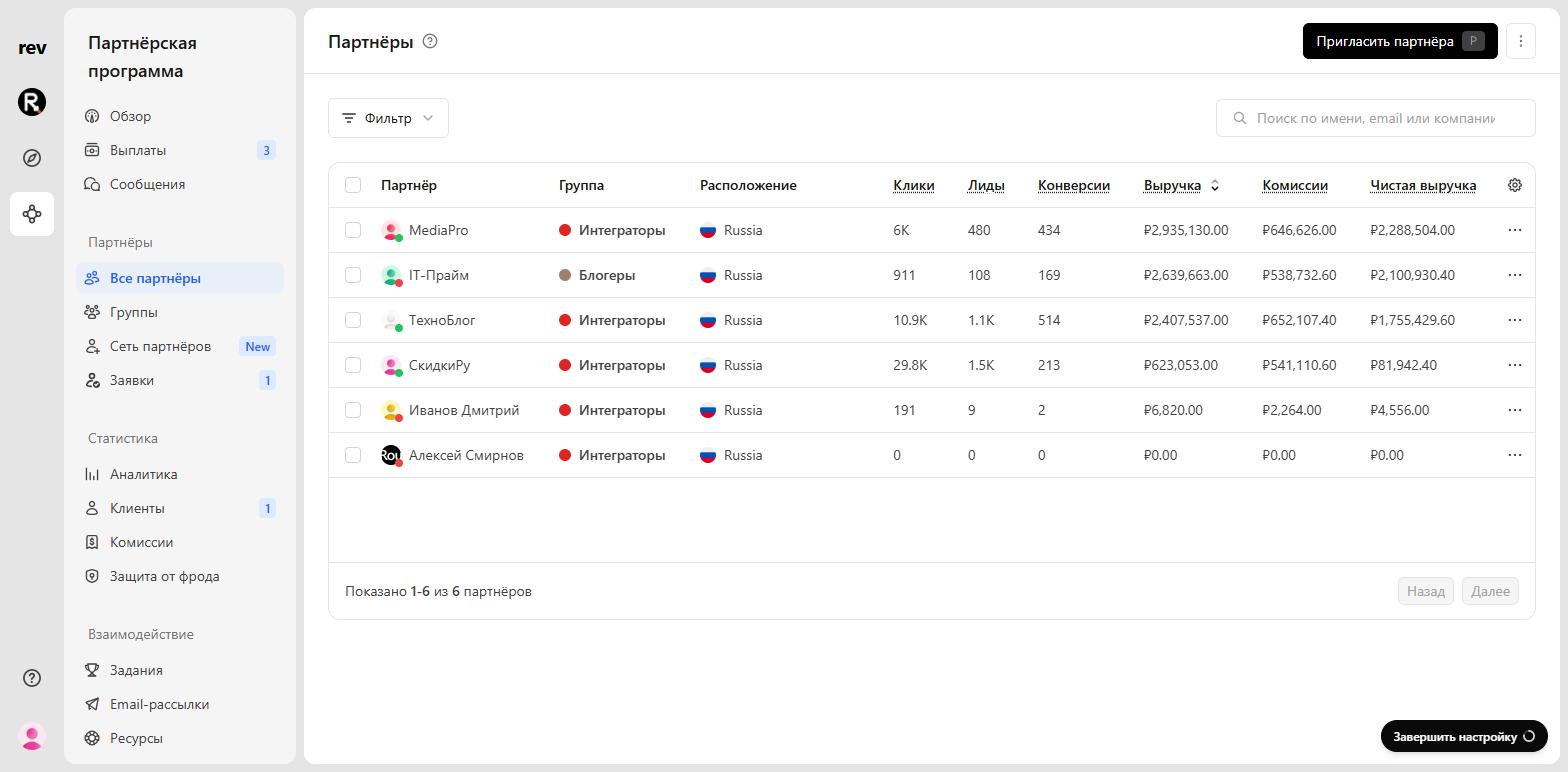
Open All partners in the program menu and click Invite partner (or press P).
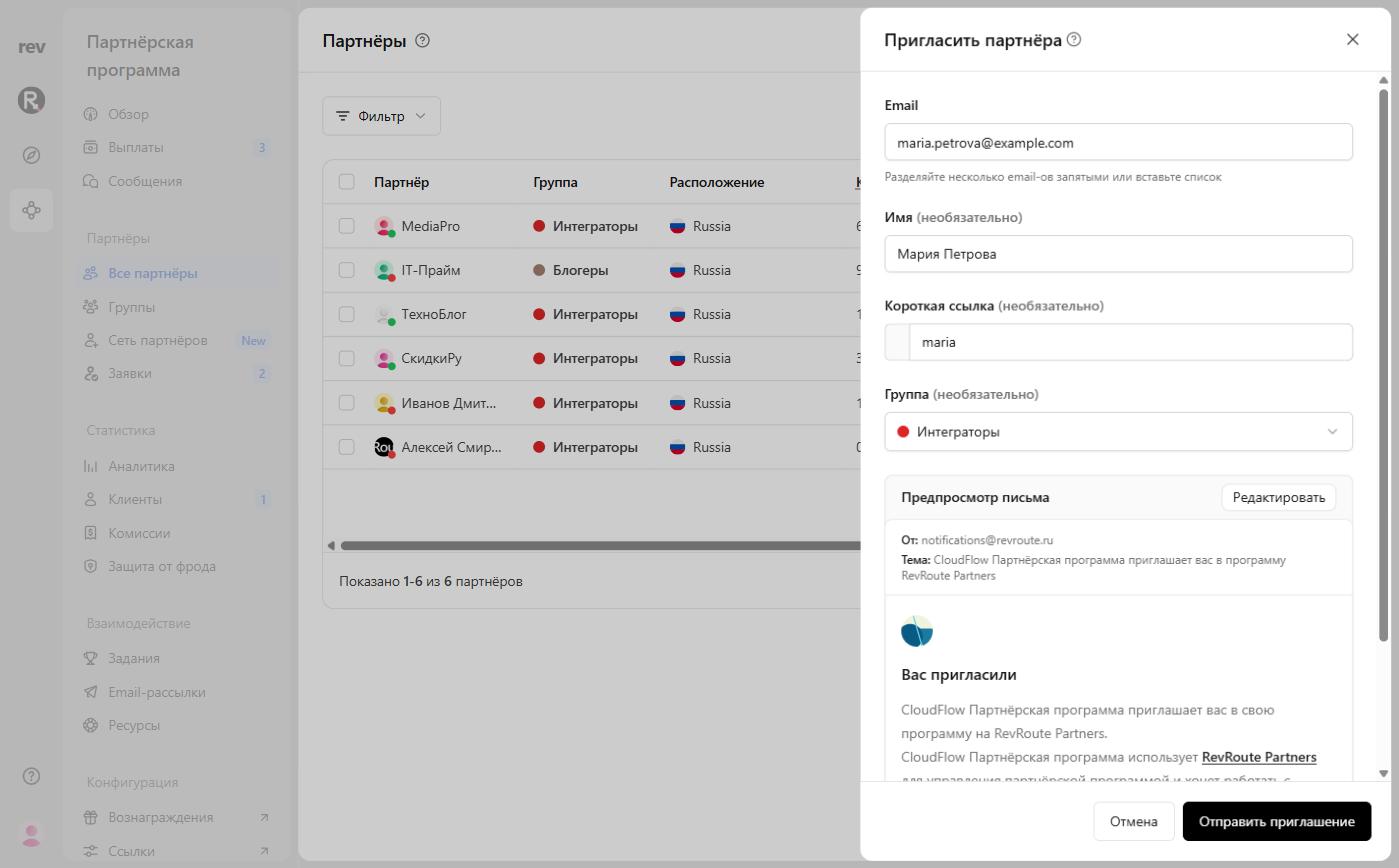
The Invite partner sheet opens. Enter the partner’s email and, optionally, their name, short link (the address of their referral link), and the group they’re being added to. Below is a preview of the email the partner will receive; it’s sent from notifications@revroute.ru.
Bulk Invitations
Invite multiple partners at once by separating their email addresses with commas or pasting a list into the Email field. Each partner receives an individual invitation email.
Updating invitation email
You’re also able to edit the email that is sent to the invited partner. To do this, click Edit in the Email preview section.
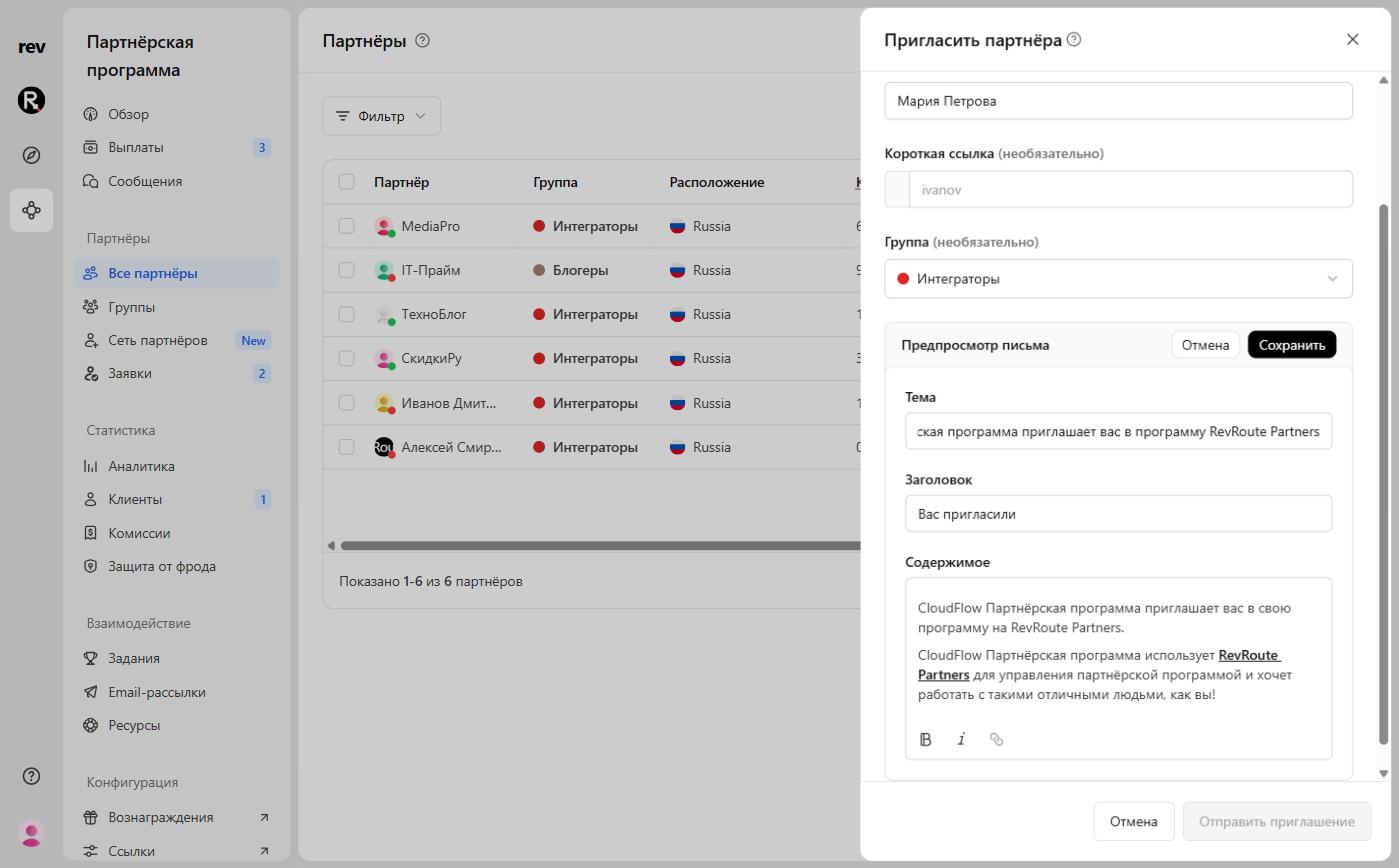
You can change the email Subject, Title, and Content. Style the content with the buttons under the editor: bold, italic, and link. Changes apply only to this invite — they don’t replace the default content.
Click Save to update the email content, or Cancel to revert back to the default content. Once your invite is ready to send, click Send invite. Your partner will receive an email in their inbox to join your program.
Viewing past invites
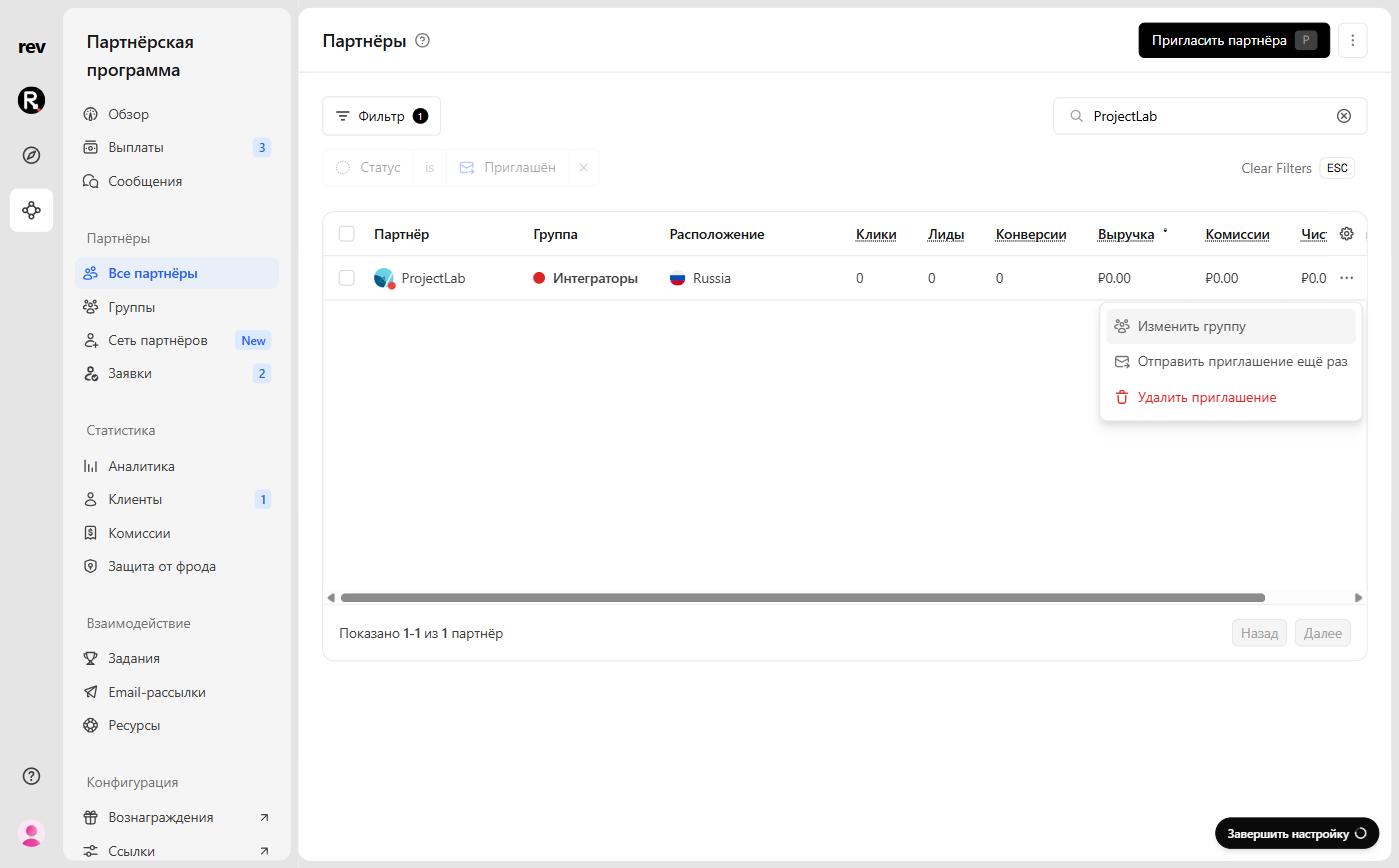
To view your previous invites, on the All partners page click Filter, then Status, then Invited.
The ⋯ menu on an invited partner’s row lets you resend the invite, delete the invite, or change the group. Deleting an invite can’t be undone.
Enrolling a partner automatically
Instead of sending an invitation email and waiting for them to accept it, you can also automatically enroll known partners in your program.
A few use cases for this approach:
- Programmatically adding your apps users to your in-app referral program
- Migrating your partners over from another platform like Rewardful
If you’re integrating with RevRoute Partners programatically, you can use our POST /partners API endpoint to enroll a partner into your program via our API.
Before auto-enrolling a partner to your program, make sure to get their consent – either explicitly or via the acceptance of your Terms of Service. Enrolling partners that are unfamiliar with your program is against our terms of service .
Via a branded application form
Alternatively, you can also have your partners apply via a branded application form:
Learn more about how to create a branded application form with RevRoute Partners.