Communicating with your programs
On RevRoute, you can use the built-in Messaging Center to communicate directly with the programs you’re enrolled in.
This is helpful for discussing any questions about your rewards structure, commissions, and partner payouts.
Where can I find my messages?
In your main navigation, click the Messages icon to see your inbox and compose new messages. You can also open the conversation with a specific program from its menu: the Messages item next to Overview and Links.
Messages overview
The messaging center has three panels:
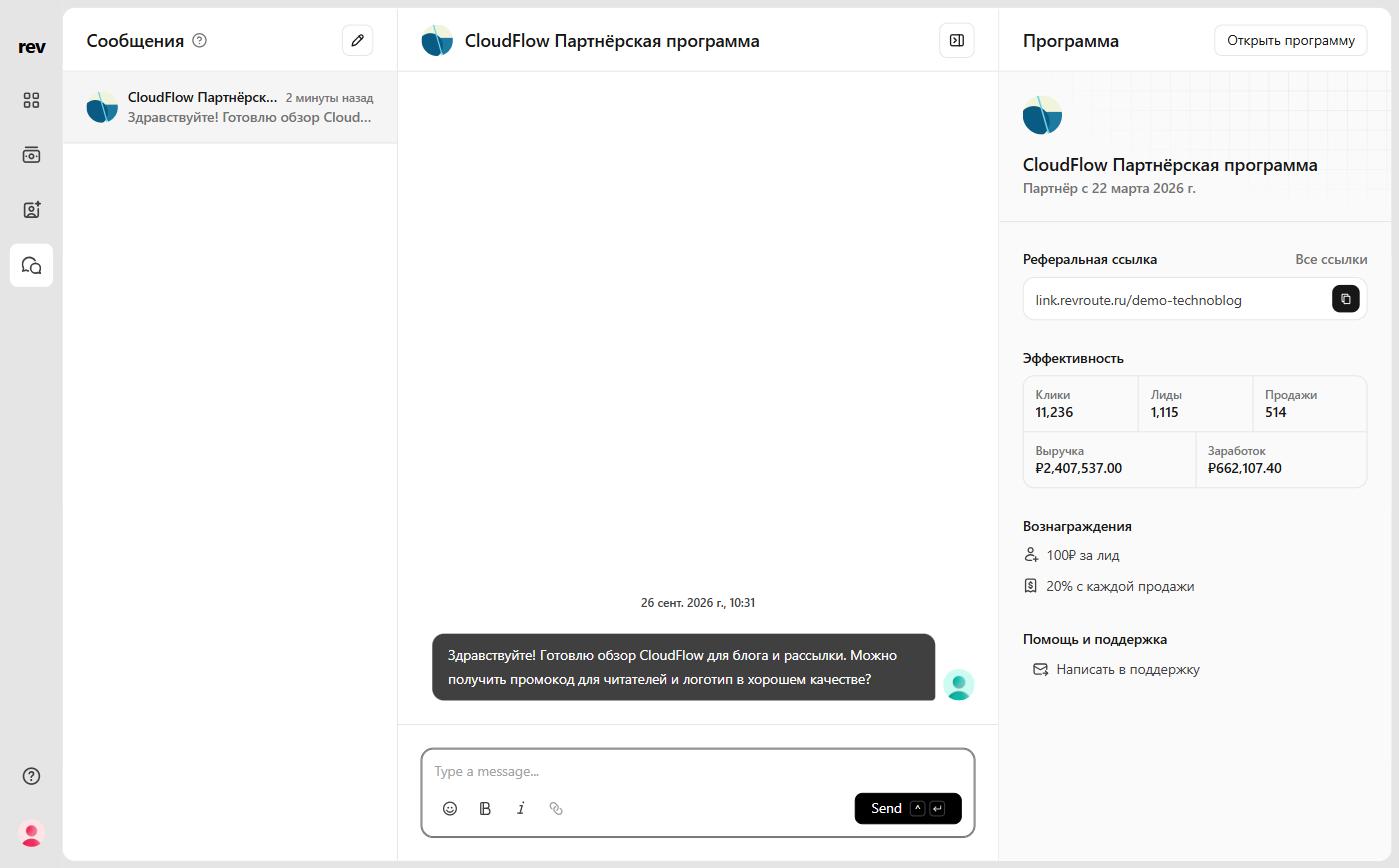
| Panel | Content |
|---|---|
| Inbox | All your conversations in one place. |
| Conversation | The full thread with your selected program. |
| Program | Key info and performance stats for the program. |
Inbox panel
Your Inbox lists every conversation with the programs you’re enrolled in. Select one to pick up where you left off, or click the Pencil button in the top right to compose something new and pick a program from the list.
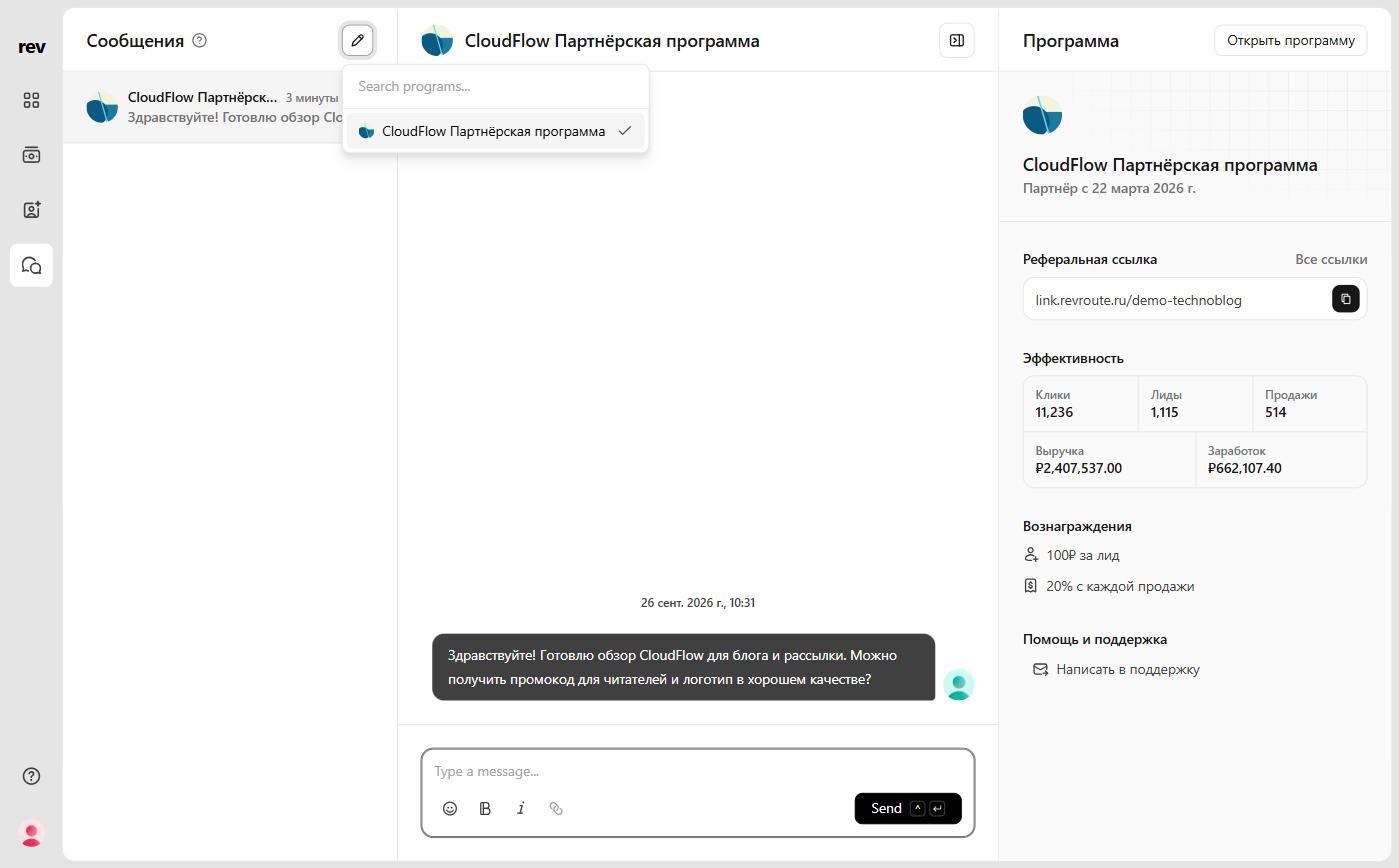
Each conversation row shows:
- Program – program’s name and program image
- Last activity – time of the most recent message from you or the program
- Excerpt – short preview of the latest message
Conversation panel
In the Conversation panel, you’ll see the full thread with the program, with the date and time above the messages. Type your message in the field at the bottom and click Send.
Program panel
The Program panel shows the program’s information, the date you joined, your referral link, performance stats and rewards, plus the program’s help and support contacts.
Messaging programs
You can message any program you are enrolled in as long as they have enabled the Messaging Center. You can also contact any program by email using the support link in the Program panel and at the bottom of the program menu.