Bitrix24: inbound webhook
To let RevRoute pick up leads, payments and refunds from Bitrix24 and calculate partner commissions automatically, you need an inbound webhook — a link RevRoute uses to read your portal’s CRM. A portal administrator creates it in a couple of minutes.
Shortcut
Open this link with your portal address — it opens the new-webhook form directly; continue from step 3:
https://<your-portal>.bitrix24.ru/devops/edit/in-hook/Via the menu
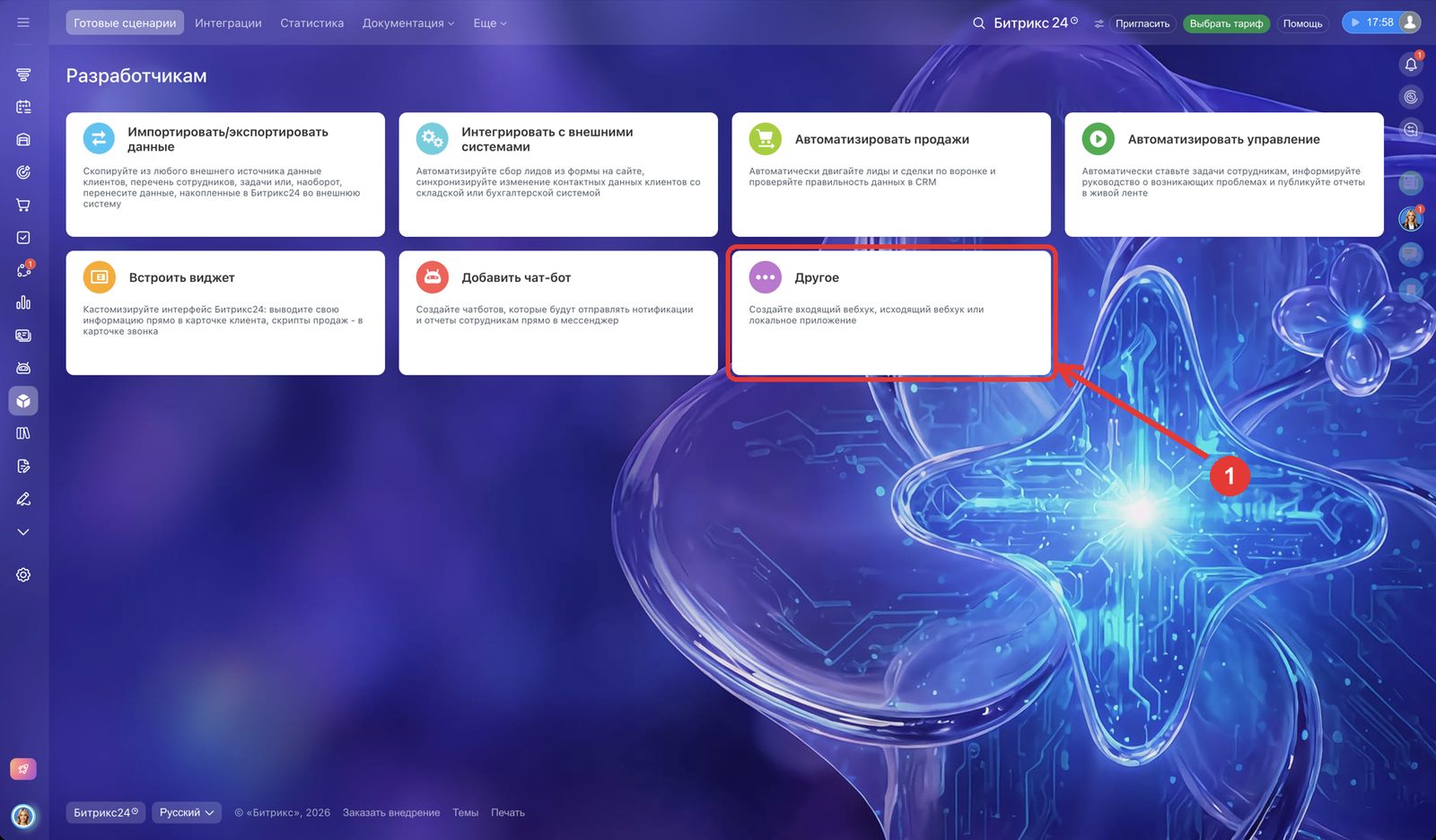
1. Developer resources → “Other”
In the portal’s left menu open “Разработчикам” (Developer resources) and click the “Другое” (Other) tile.
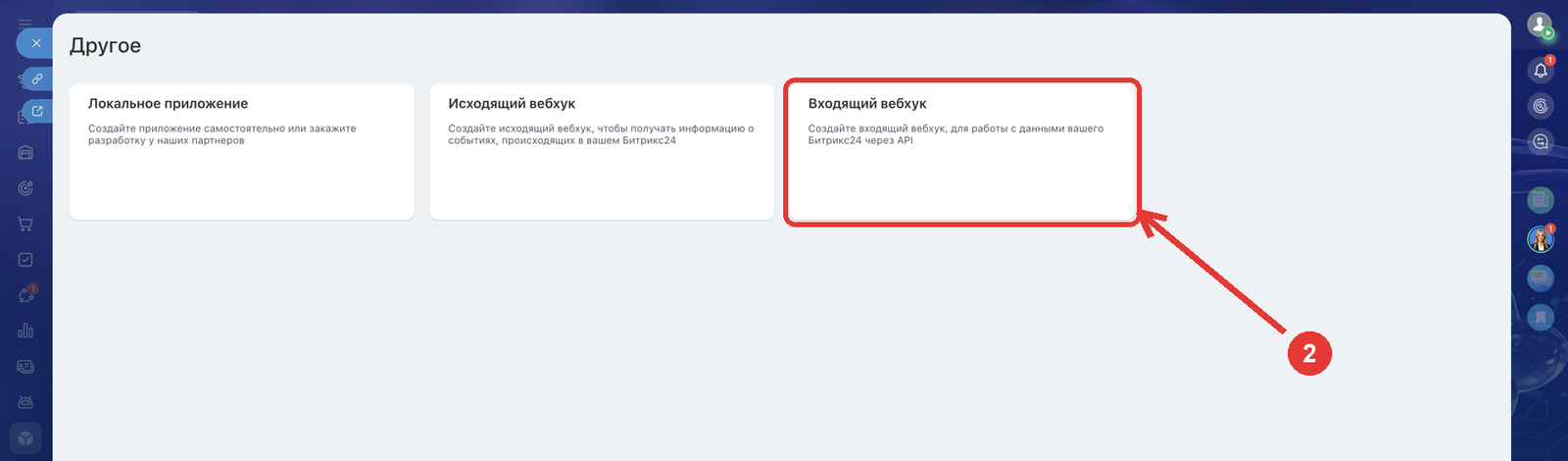
2. “Inbound webhook”
3. CRM access
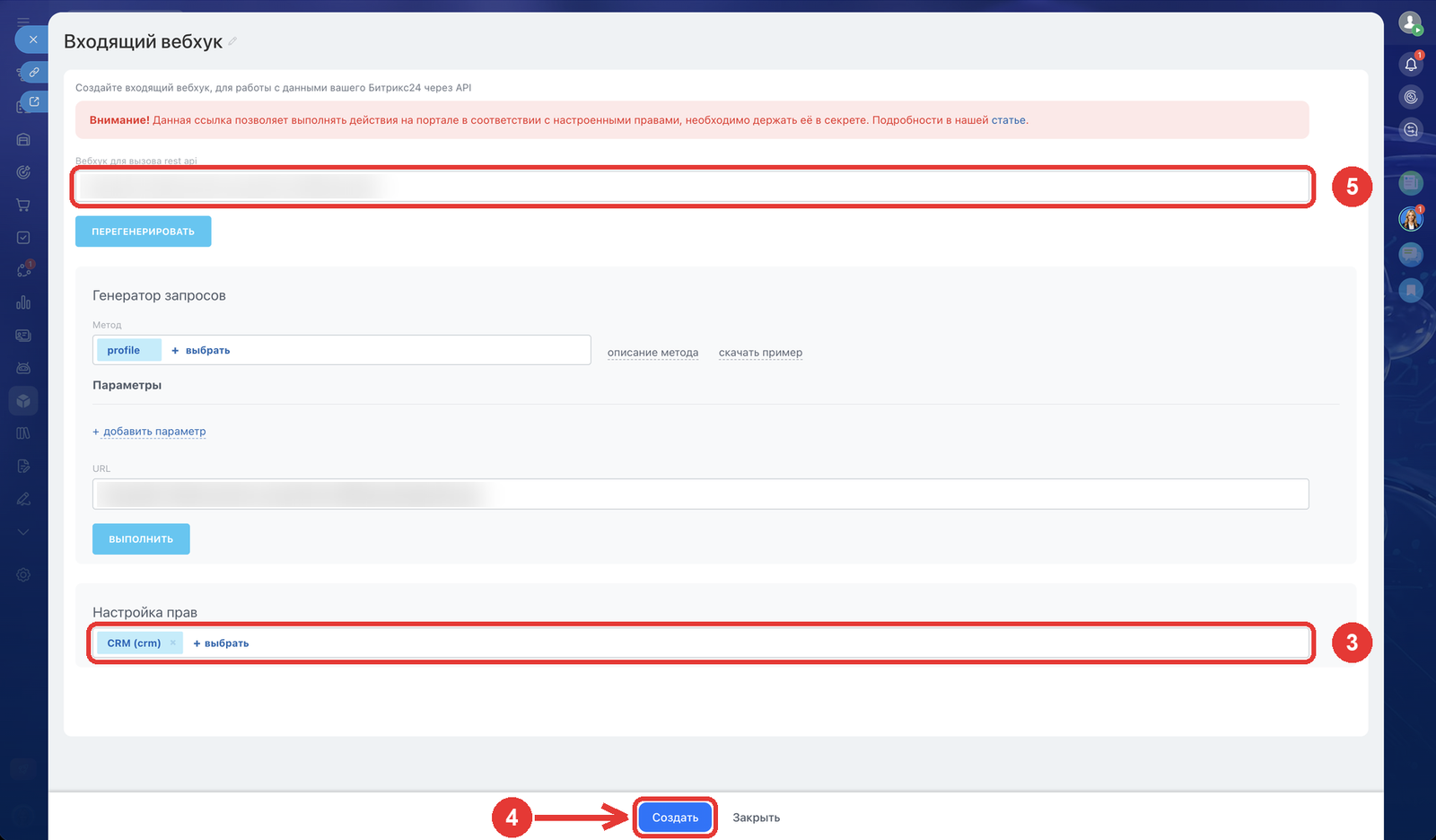
In “Настройка прав” (Access permissions) click ”+ выбрать” (+ select) and pick CRM (crm). No other permissions are needed.
4. Save
Click “Создать” (Create) at the bottom of the form (for an existing webhook the button is “Сохранить”, Save).
Important. Without this step the permissions are not saved: the link opens, but it has no access to the CRM.
5. Copy the link
Copy the “Вебхук для вызова rest api” field — a link like https://<your-portal>.bitrix24.ru/rest/1/<code>/ — and send it to the RevRoute team chat. We will connect Bitrix24 to your account.
The link grants access to the portal’s CRM — do not publish it. If it leaked, click “Перегенерировать” (Regenerate) in the same form: the old link stops working; send us the new one.