How to change my default workspace on RevRoute?
On RevRoute, you can set a workspace as your default workspace. This is the workspace that opens when you log in to RevRoute .
When you create your first workspace on RevRoute, it is automatically set as your default workspace. However, you can change it at any time.
Here’s how you can change your default workspace on RevRoute:
- Open your account settings : click your avatar in the bottom-left corner and select Account settings.
- Scroll down to the Default workspace section.
- Select the workspace you want to set as your default from the dropdown. If you have many workspaces, use the search above the list.
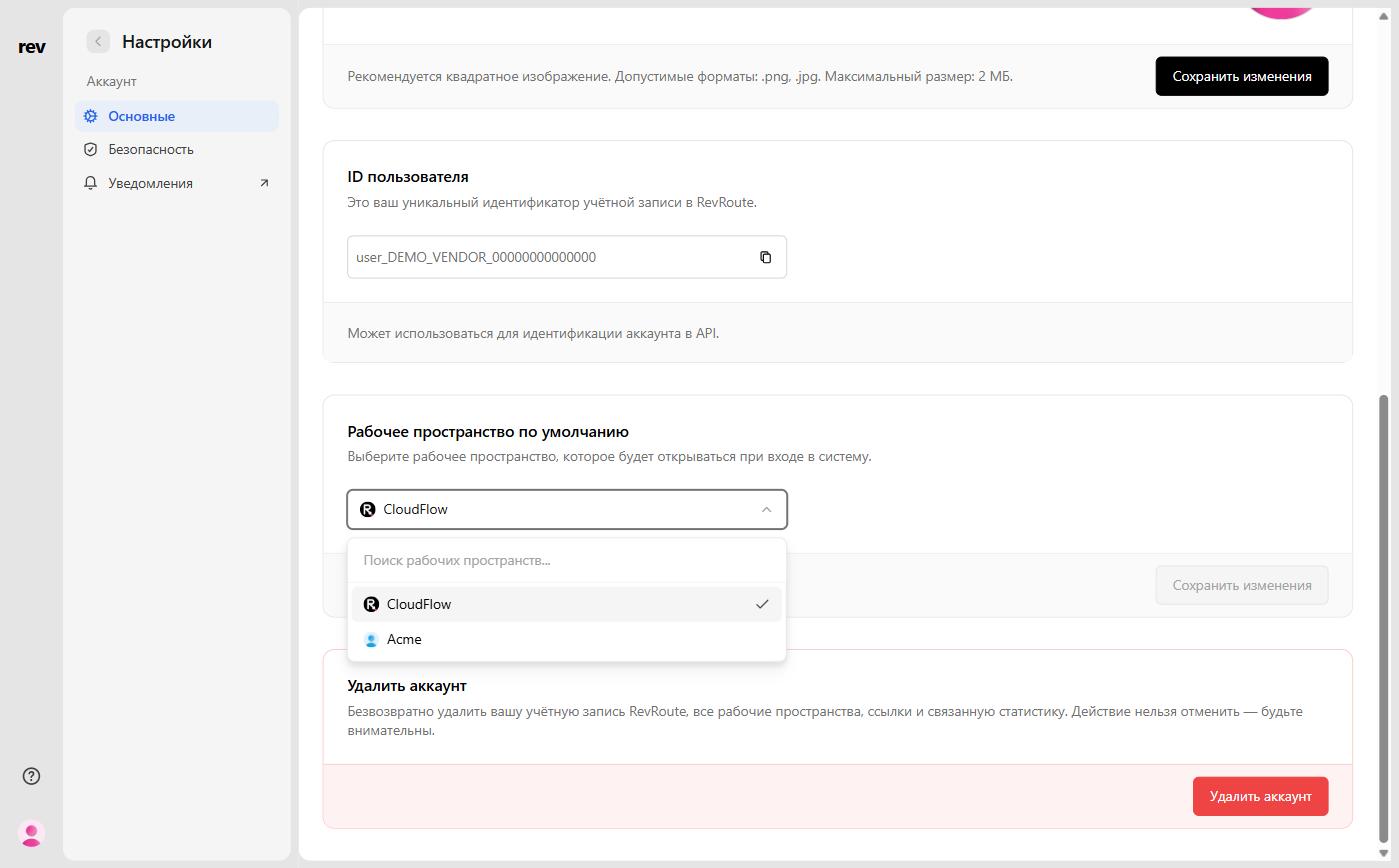
- Click Save changes.
And that’s it! The next time you log in to RevRoute, the selected workspace will open.
Last updated on