What is the RevRoute link builder?
Short links are the bread and butter of RevRoute. With RevRoute’s link management platform, you can create short links and QR codes for your marketing campaigns and get world-class analytics on them.
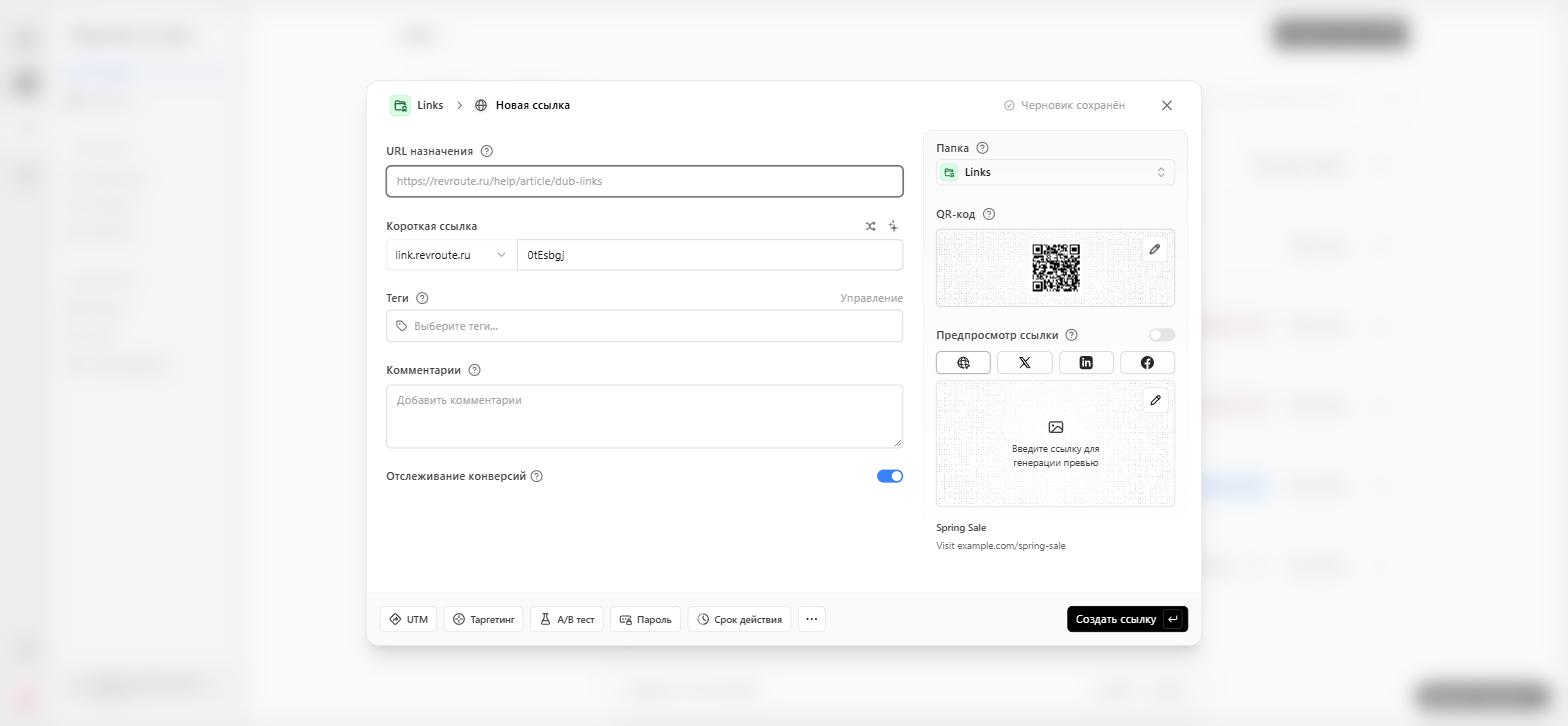
At the center of RevRoute is the RevRoute link builder. This is where you’ll find all the tools & features you need to create a short link on RevRoute.
Features of the RevRoute link builder
On the left half of the link builder, RevRoute offers a variety of advanced link features that you can use to create and manage your short links.
- Tag selector: Organize your links with tags to make them easy to find. Learn more.
- Custom link previews: Customize how your link appears on social media with the help of AI to improve conversion rates.
- UTM Builder: Add UTM parameters to your links. Learn more.
- Link Cloaking: Mask your destination URL with your short link. Learn more.
- Password Protection: Protect your links with a password. Learn more.
- Expiration Date: Set an expiration date for your links. Learn more.
- Device Targeting: Set a custom destination URL for iOS and Android devices. Learn more.
- Geo Targeting: Redirect your users to different links based on their location. Learn more.
- Search Engine Indexing: Control how your links are indexed by search engines. Learn more.
- Comments: Add comments to your links – for you and your team. Learn more.
On the right half of the link builder, you get a live preview of how your short link will look on social media platforms like X (formerly Twitter), Facebook, and LinkedIn.
Keyboard shortcuts in the RevRoute link builder
The RevRoute link builder also comes with a variety of keyboard shortcuts to help you create links faster. Here’s a list of all the keyboard shortcuts you can use:
| Shortcut | Action |
|---|---|
D | Open the domain selector |
T | Open the tag selector |
Q | Open the QR code modal |
L | Open the link preview modal |
U | Open the UTM builder |
E | Open the link expiration modal |
G | Open the geo/device targeting modal |
P | Open the link password modal |
K | Toggle link cloaking |
S | Toggle search engine indexing |
A | Open the advanced settings modal |
How to open the RevRoute link builder
There are 3 ways to open the RevRoute link builder:
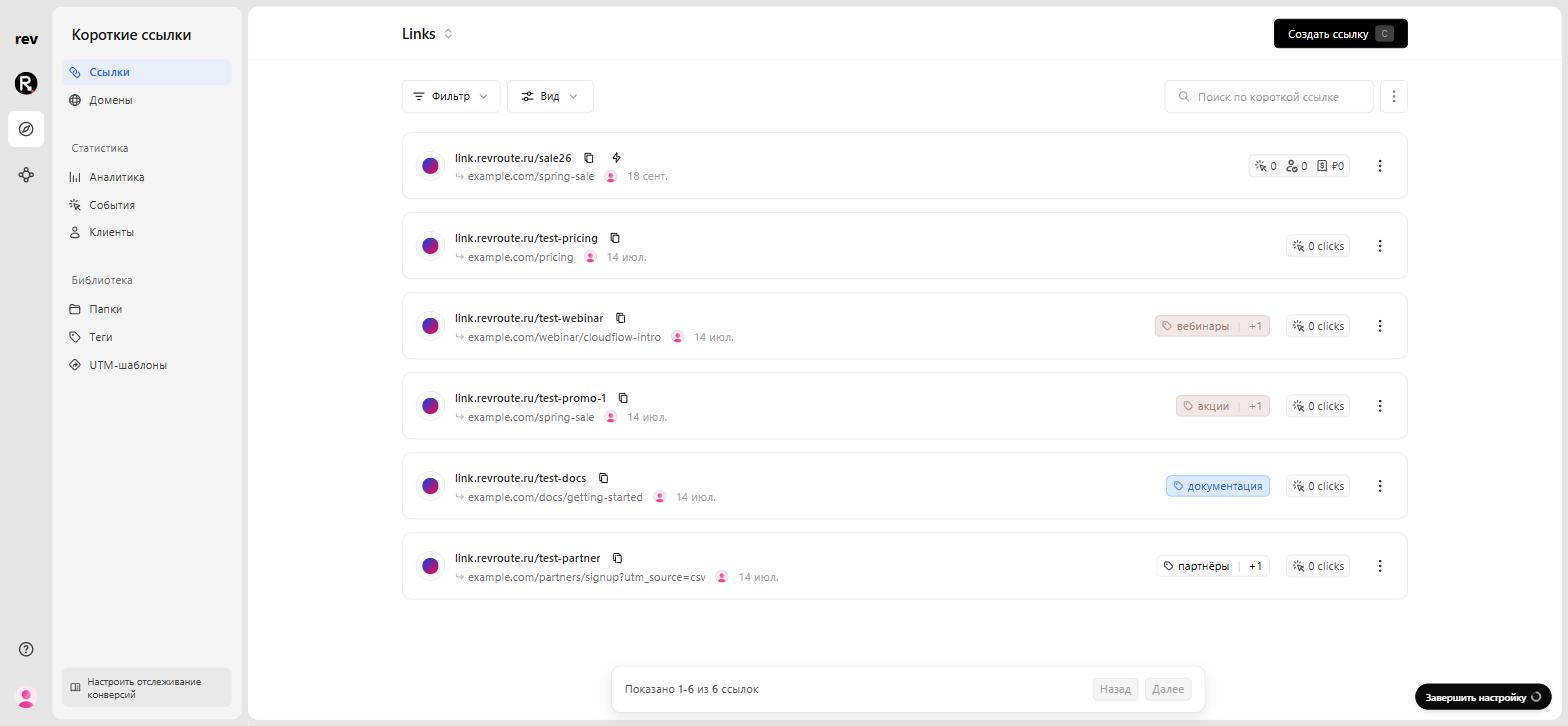
- 🐢 Slowest: Click on the “Create link” button on the dashboard.
- 🐇 Faster: Use the keyboard shortcut
cto open the link builder. - 🐅 Fastest: Just paste in a valid URL into the dashboard. This will automatically open the link builder and pre-fill the URL field.
Link creation shortcuts on RevRoute
There is one more nifty shortcut you can use to open the link builder from anywhere on the internet: prepend your short link domain in front of any URL. This will open the link builder in your default RevRoute workspace with the URL and domain pre-filled.