В Revroute вы можете установить выбранное рабочее пространство в качестве рабочего пространства по умолчанию. Это то пространство, на которое вы будете перенаправлены при входе в Revroute .
При создании первого рабочего пространства в Revroute оно автоматически устанавливается как пространство по умолчанию. Однако вы можете изменить его в любое время.
Вот как изменить рабочее пространство по умолчанию в Revroute:
- Перейдите в настройки аккаунта , нажав на аватар в правом верхнем углу панели управления Revroute и выбрав Settings.
- Прокрутите вниз до раздела Your Default Workspace.
- Выберите рабочее пространство, которое хотите установить по умолчанию, из выпадающего списка.
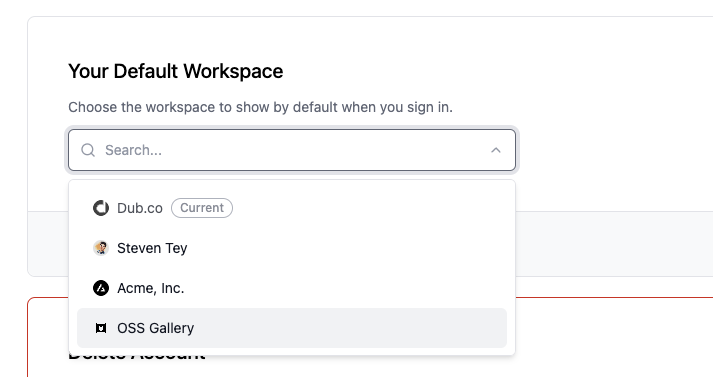
- Нажмите кнопку Save Changes, чтобы сохранить выбор.
Готово! Ваше рабочее пространство по умолчанию обновлено. При следующем входе в Revroute вы будете перенаправлены в выбранное рабочее пространство.
Last updated on