How to set a not found URL for your custom domains
💡
This feature is only available on Pro plans and above .
By default, when a user visits a short link that doesn’t exist on RevRoute, they will see a standard “not found” placeholder page.
If you are using a custom domain on RevRoute, you can set a custom URL to redirect users to when a short link under your domain is not found.
To set a custom not found URL for your domains, follow the steps below:
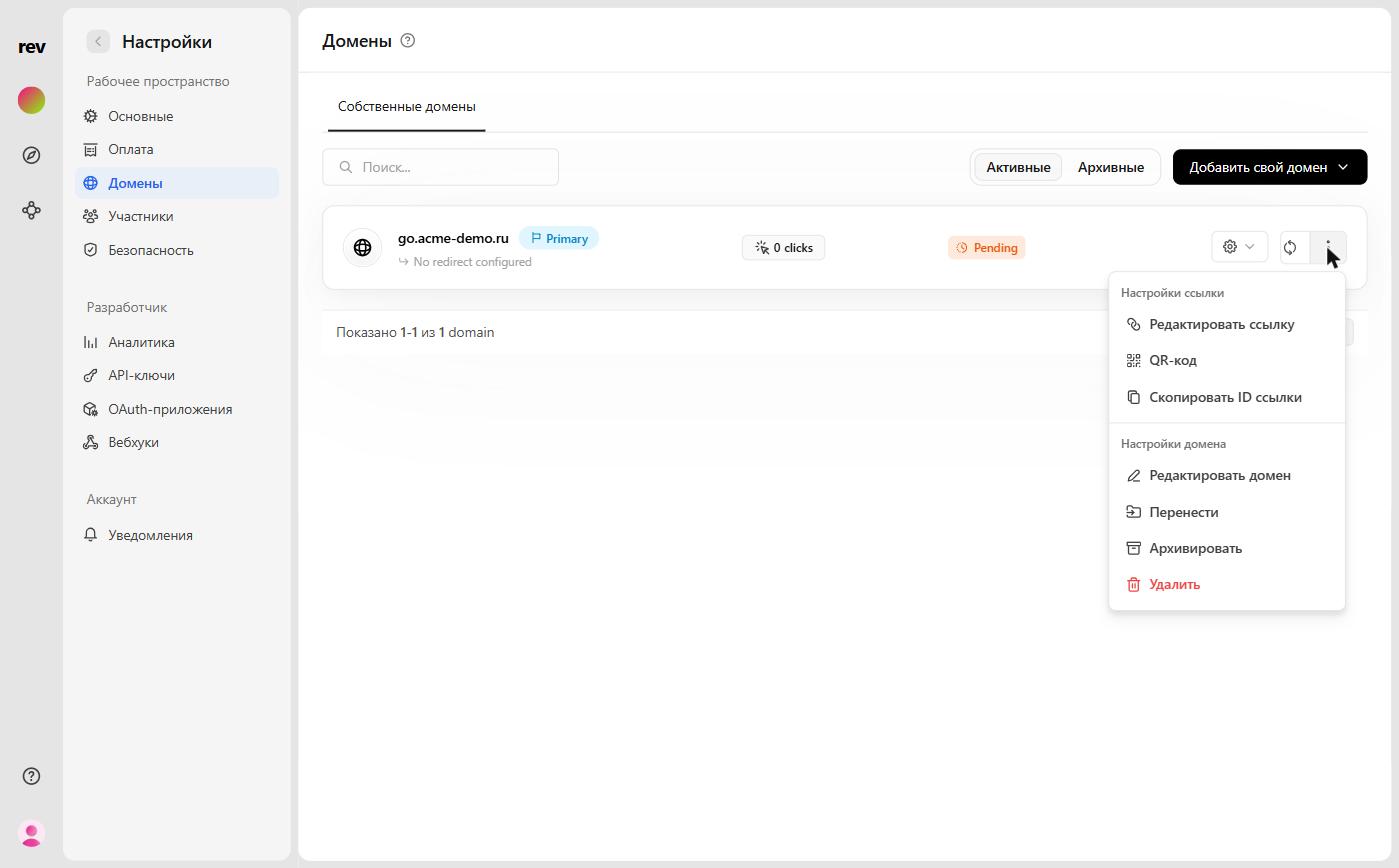
- Go to Settings → Domains.
- Click the
⋮button next to the domain and, under the Domain settings section, select Edit domain.
- In the Update domain modal, enable the Not found URL toggle and enter the custom URL to redirect users to when a short link under your domain is not found.
- Click the Save changes button.
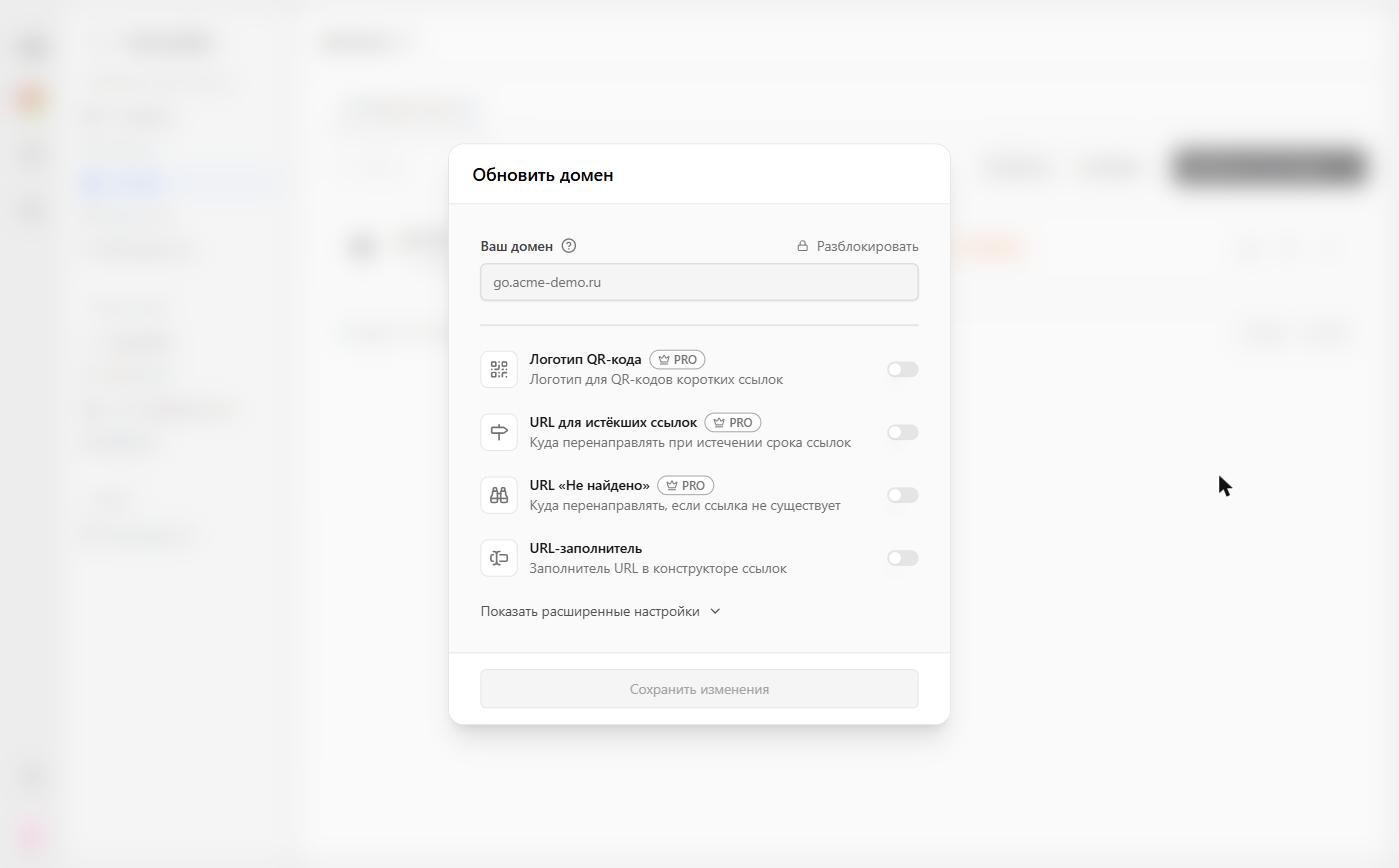
The same Not found URL toggle is also available in the Add domain modal, so you can enable it right when connecting a domain.
Last updated on