Эта функция доступна только на тарифах Business и выше .
В Revroute Partners вы можете предлагать различные стимулы для партнёров, мотивируя их создавать качественный контент и распространять информацию о вашем продукте:
| Тип вознаграждения | Описание |
|---|---|
| Click-based (pay-per-click) | Вознаграждение партнёров за привлечение кликов на ваш продукт — аналогично модели pay-per-click в Google Ads. |
| Lead-based (pay-per-lead) | Более эффективная альтернатива pay-per-click, где вы вознаграждаете партнёров за сгенерированные лиды (например, запросы на демо, регистрации на пробный период и т.д.) |
| Sale-based (pay-per-sale) | Наиболее распространённый тип вознаграждения, при котором вы вознаграждаете партнёров за привлечённые продажи через долю от дохода или фиксированную комиссию. |
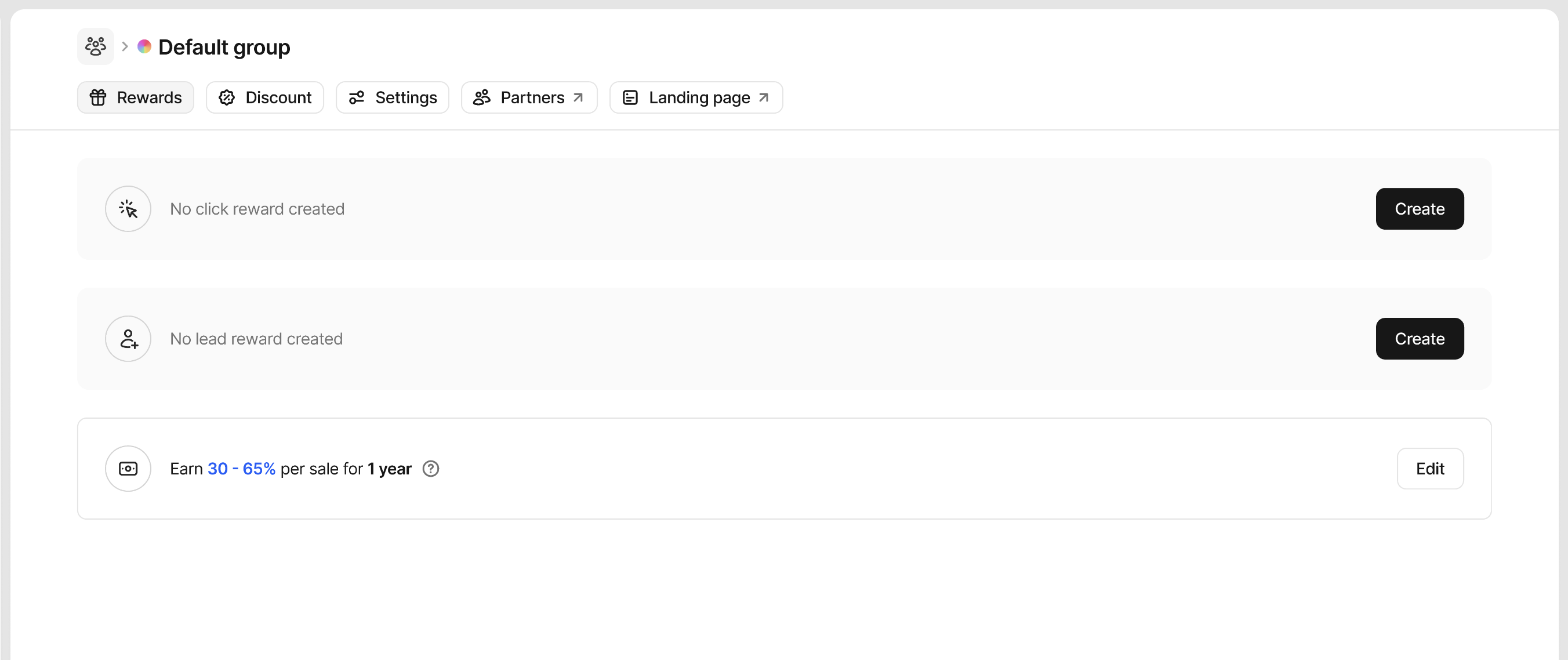
В процессе онбординга программы вам будет предложено создать вознаграждение группы по умолчанию, которое будет автоматически применяться ко всем новым партнёрам, вступающим в программу.
Начальное вознаграждение будет основано на лидах или продажах по умолчанию, но вы можете настроить условия вознаграждения по своему усмотрению.
Вознаграждения группы по умолчанию
После начального онбординга вы можете создать дополнительные вознаграждения за клики, лиды или продажи, в зависимости от того, как вы изначально настроили группу. Эти вознаграждения будут доступны всем партнёрам, вступающим в вашу программу.
Создание вознаграждения
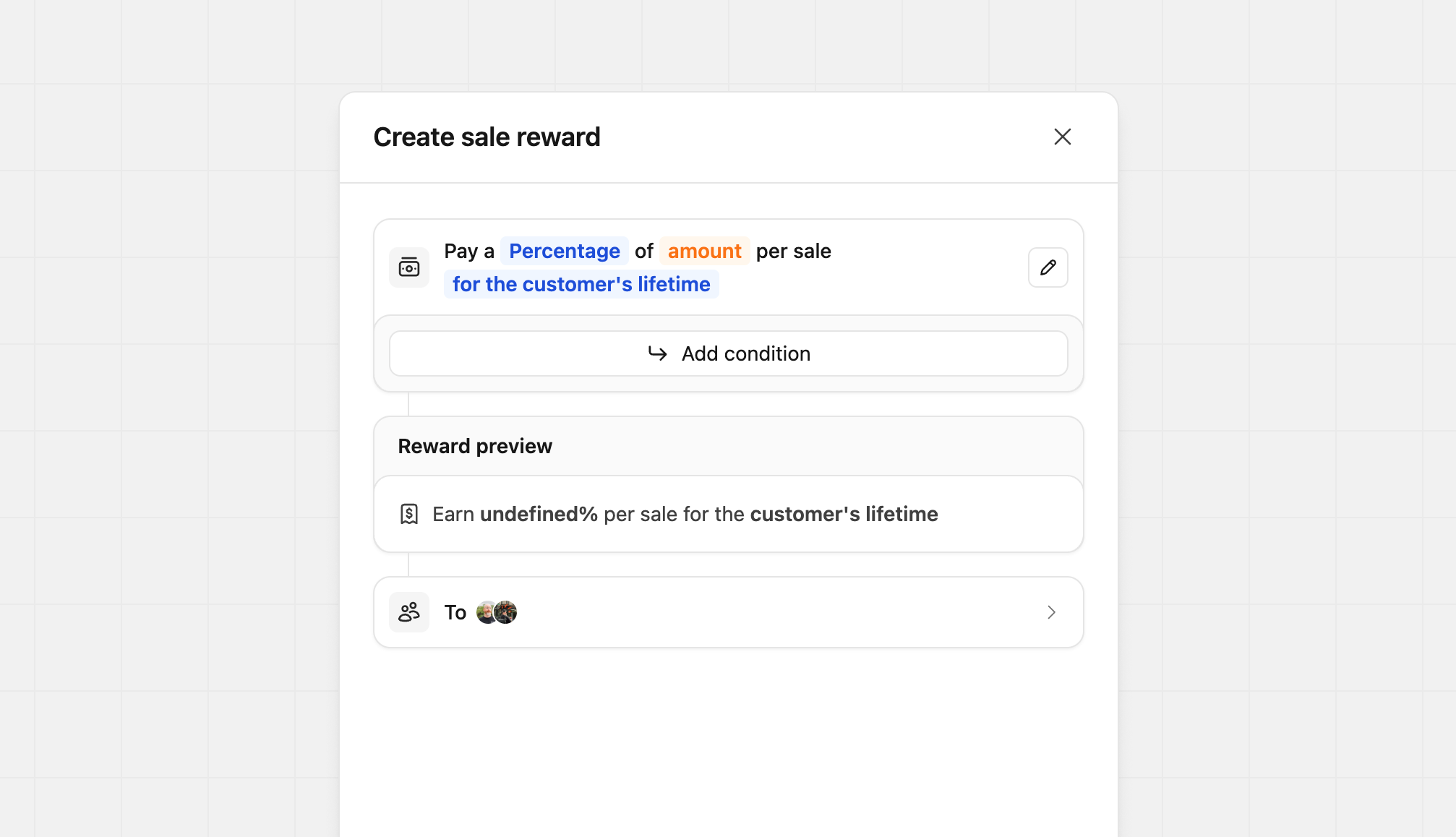
Наш конструктор вознаграждений позволяет быстро и легко создавать простые и сложные вознаграждения. При первом открытии конструктора вы увидите основные поля, необходимые для создания вознаграждения. Нажатие на различные Blue и Orange поля ввода позволяет изменить структуру вознаграждения.
Настройка типов вознаграждений
В зависимости от типа создаваемого вознаграждения вы можете выбрать между фиксированной суммой или процентной комиссией:
| Тип вознаграждения | Модель | Описание | Пример |
|---|---|---|---|
| Click | Flat | Партнёры получают фиксированную плату за каждый клик | $2 за клик |
| Lead | Flat | Партнёры получают фиксированную плату за каждый квалифицированный лид | $50 за лид |
| Sale | Percentage | Партнёры получают процент от продаж (доля от дохода) | 30% от суммы продажи |
| Sale | Flat | Партнёры получают фиксированную плату за каждую продажу | $50 за продажу |
Для вознаграждений за продажу вы можете дополнительно настроить характер повторяемости комиссии:
- Одноразово
- На определённый период (от 3 месяцев до 3 лет)
- На всё время подписки клиента
Добавление условий вознаграждения
Настройка условий вознаграждения доступна только на тарифе Advanced и выше .
В Revroute вы также можете задать конкретные требования для получения вознаграждения и даже назначить другой тип (фиксированная ставка или процент), сумму и длительность при их выполнении. Они доступны только для вознаграждений за продажи и лиды и позволяют задать такие условия, как:
- Повышенные вознаграждения за продажи и лиды из определённой страны
- Повышенные вознаграждения за продажи определённых продуктов
- Повышенные вознаграждения для партнёров с более чем 100 конверсиями
- Повышенные вознаграждения за продажи свыше определённой суммы
Нажмите Add condition, чтобы задать эти параметры.
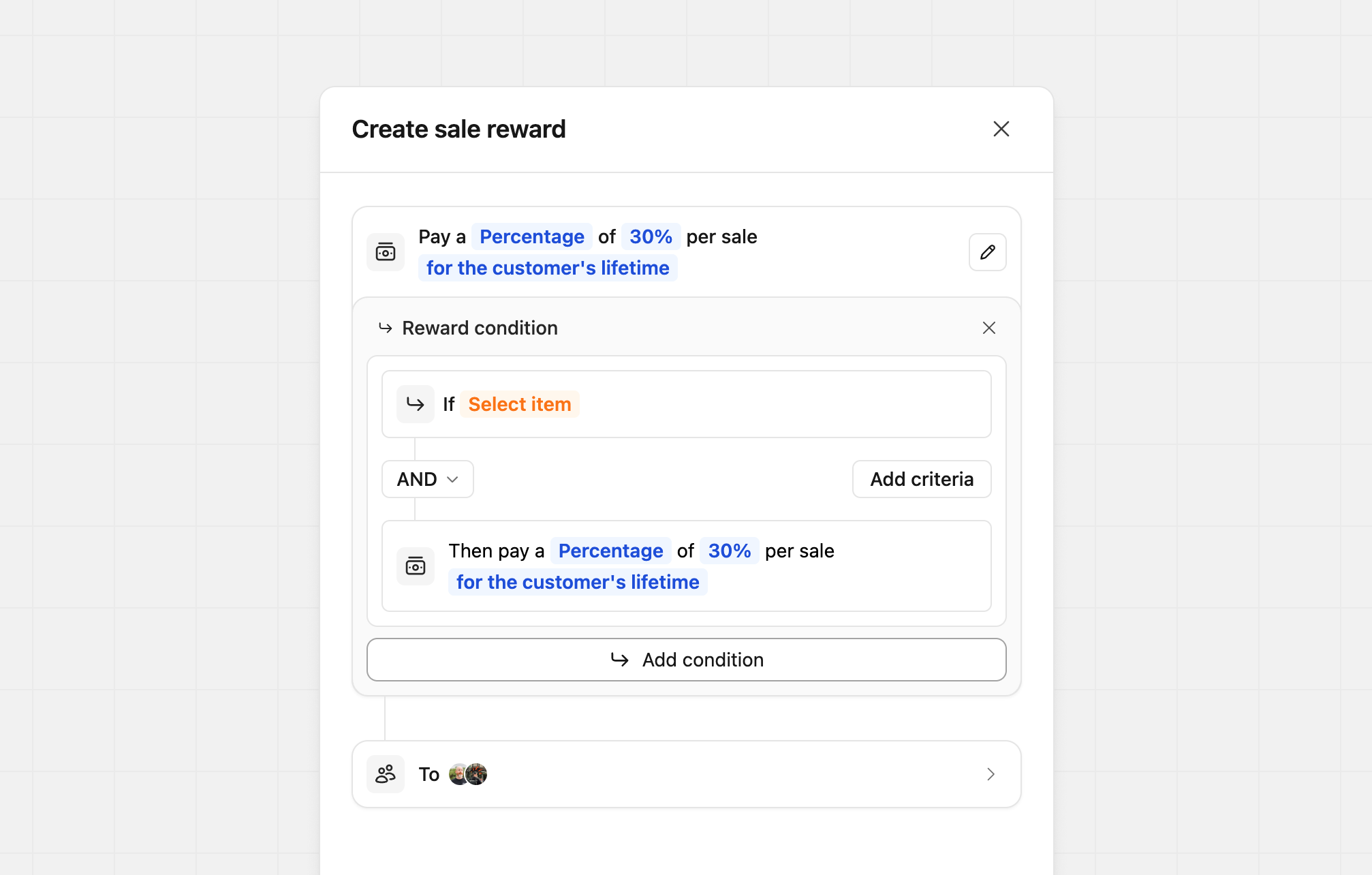
Каждое условие может быть основано на Customer, Sale или Partner, что позволяет комбинировать условия вознаграждения наилучшим образом для вашей программы.
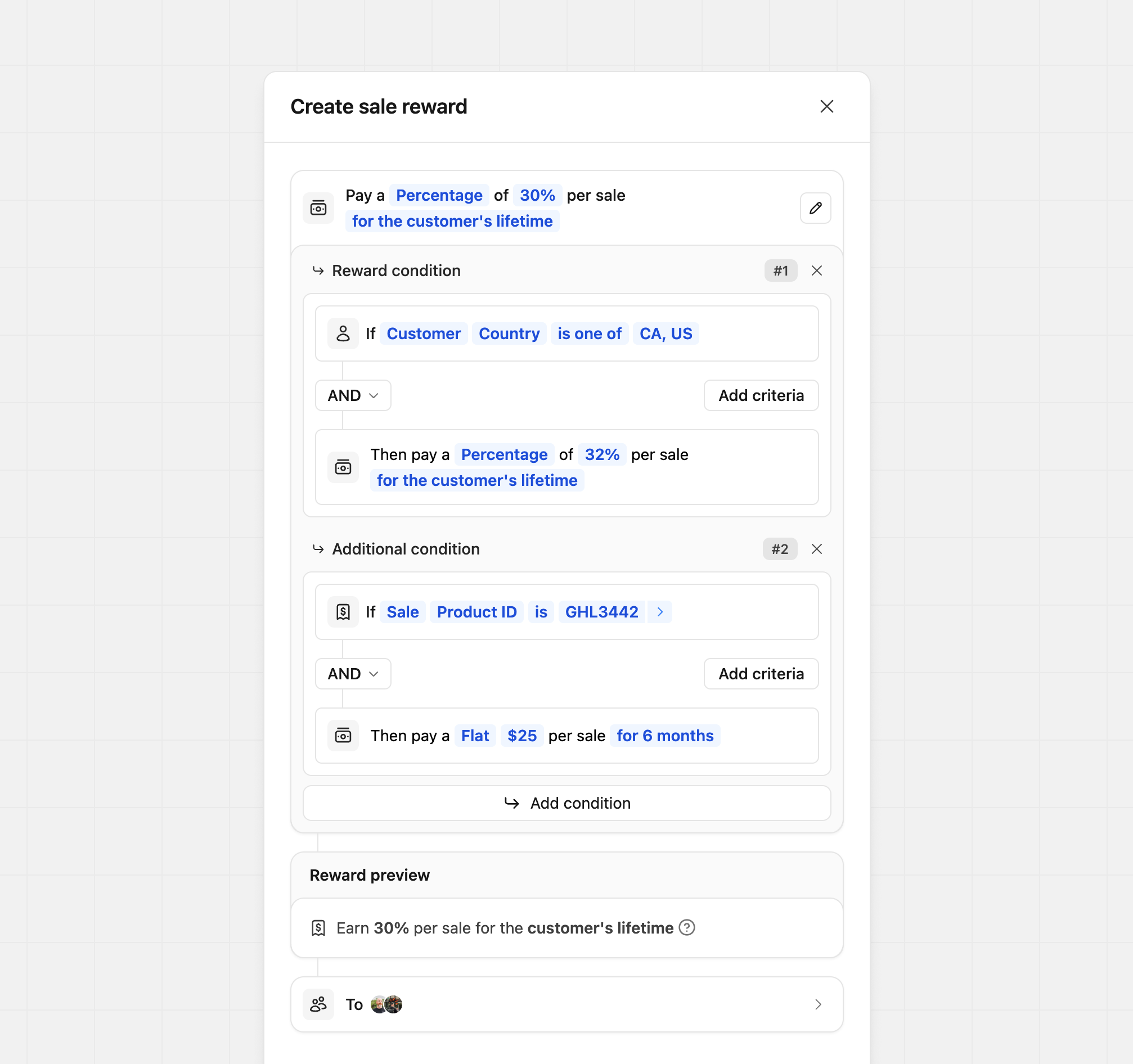
Условия позволяют использовать операторы AND или OR для управления их работой. Каждое условие привязано только к своему вознаграждению и не влияет на другие. Как показано в примере ниже, условия могут быть как простыми, так и сложными по мере необходимости.
Пользовательские описания вознаграждений
По умолчанию Revroute автоматически генерирует описания вознаграждений при их создании. В некоторых случаях вы можете захотеть настроить, как эти вознаграждения представлены партнёрам — будь то для лучшего соответствия голосу вашего бренда или для упрощения понимания сложного вознаграждения. Чтобы отредактировать содержание вознаграждения, нажмите значок карандаша рядом с основным конструктором вознаграждений. Откроется редактор контента, где вы можете обновить основное описание вознаграждения и при необходимости добавить дополнительный контекст с помощью подсказки (tooltip).
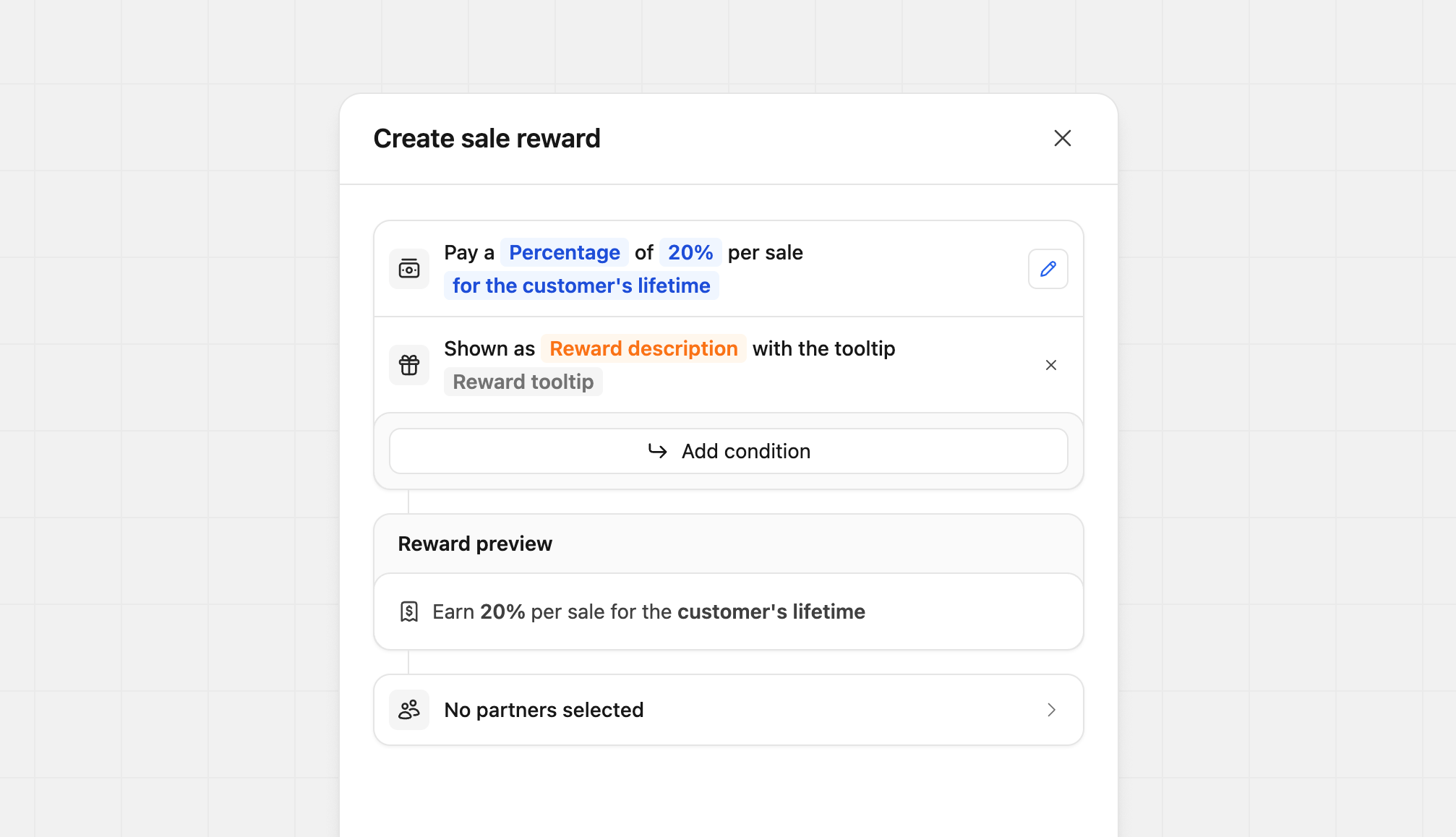
Нажмите Reward description, чтобы обновить основное описание. Вы можете ввести до 100 символов для краткого объяснения вознаграждения.
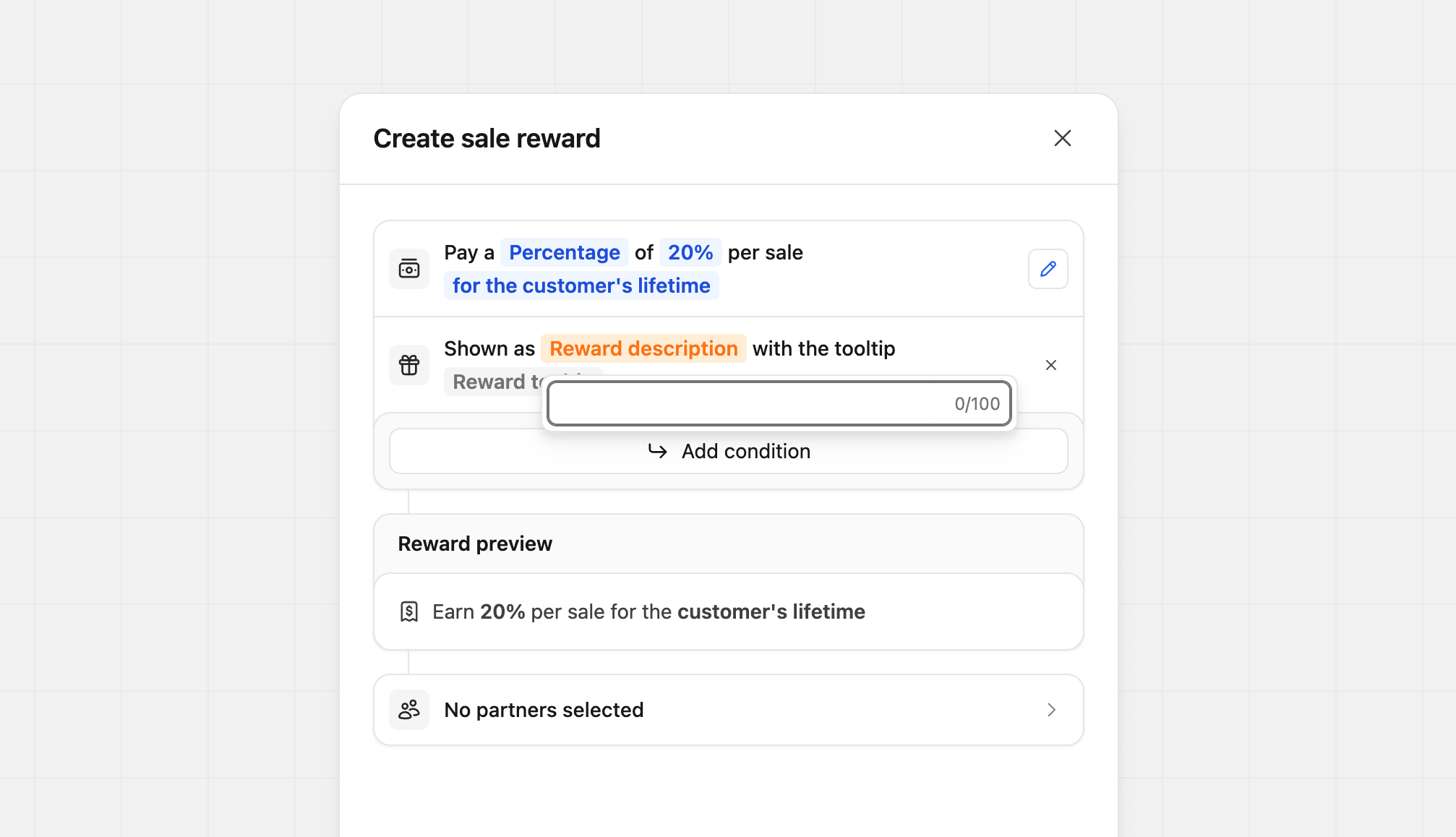
Нажмите Reward tooltip, чтобы отредактировать содержание подсказки. Подсказки поддерживают базовый markdown и допускают до 2 000 символов, что идеально для добавления подробных пояснений или условий.
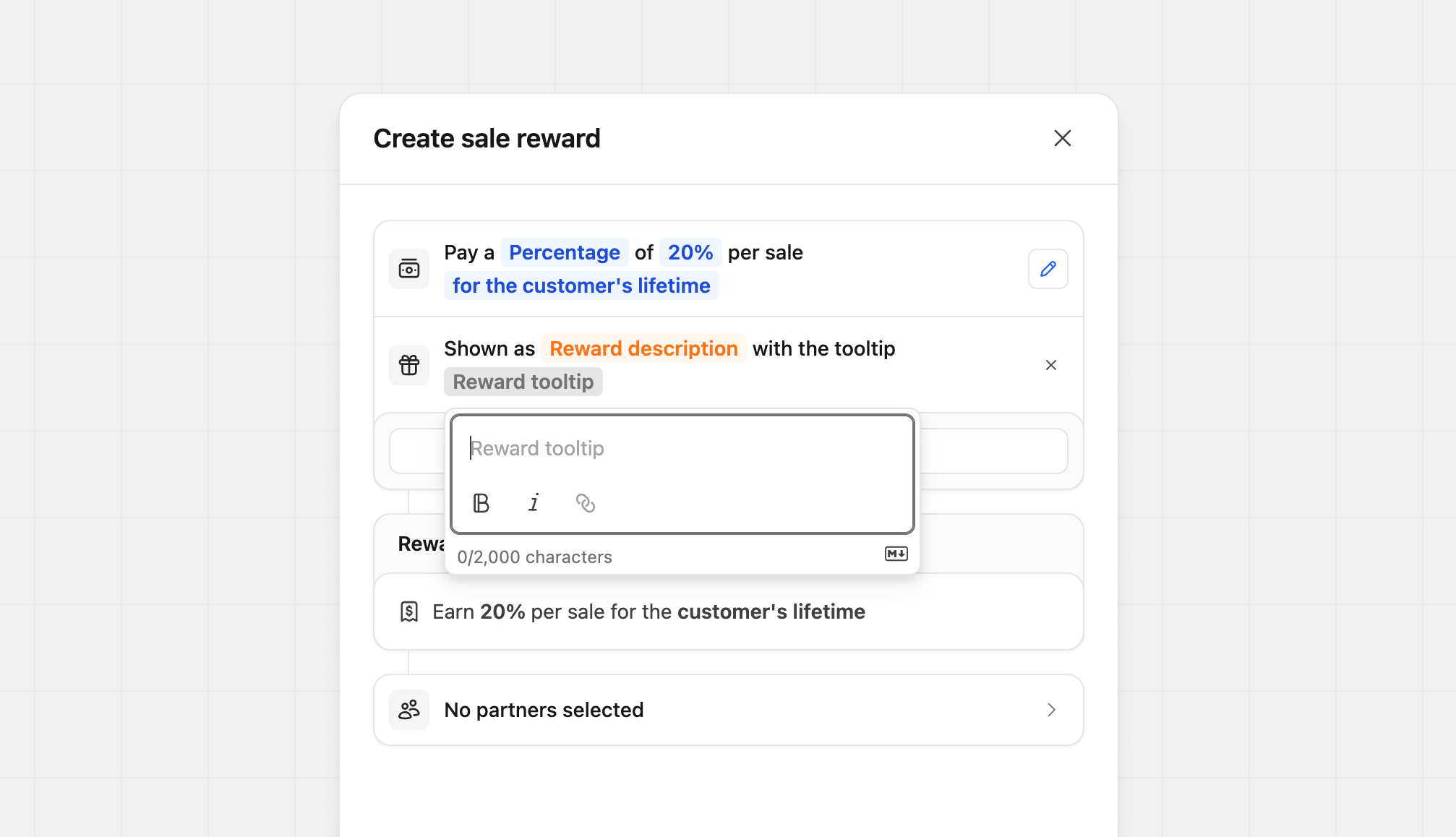
Вы можете настраивать каждое поле независимо. Например, вы можете обновить только подсказку для более сложного вознаграждения, оставив основное описание без изменений. Или наоборот — обновить описание, не трогая подсказку. Эта гибкость позволяет настраивать каждое вознаграждение без лишних усилий.
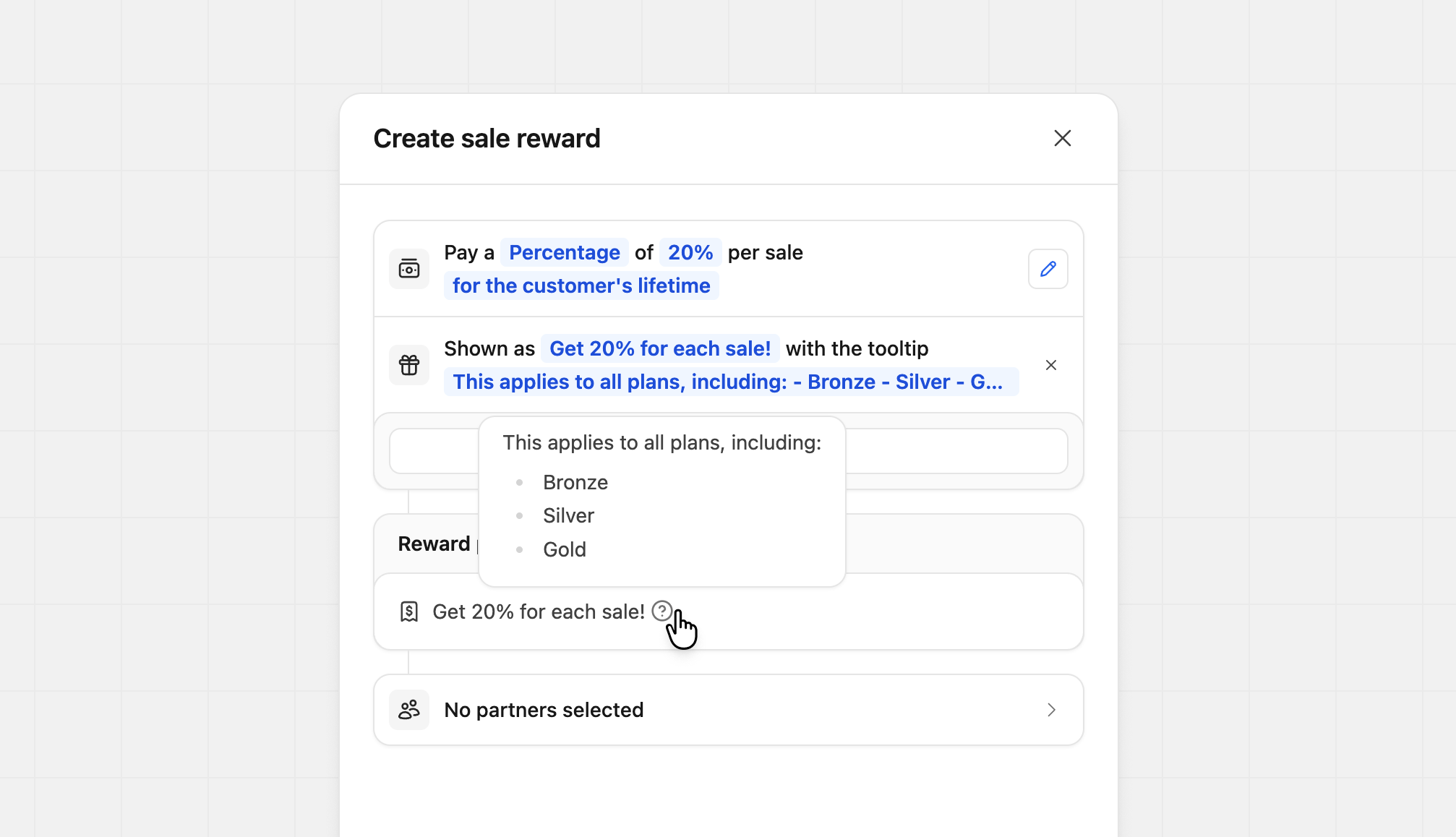
Если вы хотите удалить пользовательский контент, нажмите значок X рядом с пользовательским описанием. Вознаграждение вернётся к описанию Revroute по умолчанию.
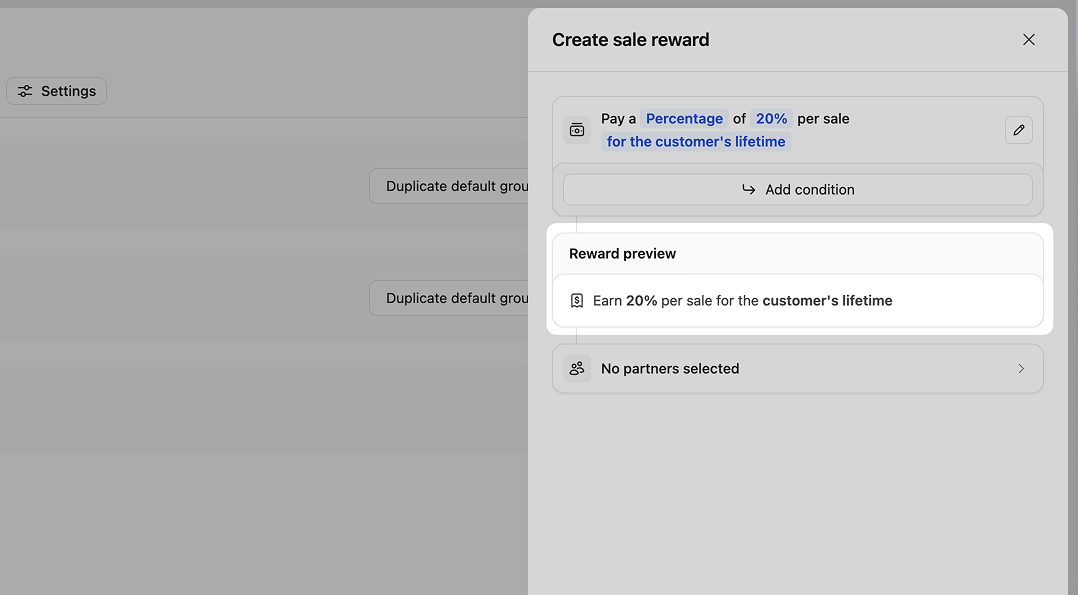
Предпросмотр вознаграждения
В процессе создания вознаграждений предпросмотр будет заполняться указанными вами настройками. Этот предпросмотр позволяет увидеть именно то, что увидит ваш партнёр на странице деталей программы и в своём личном кабинете.
Примеры вознаграждений
Вот несколько примеров вознаграждений с условиями для вдохновения.
Настройка условий вознаграждения доступна только на тарифе Advanced и выше .
Геоспецифические
Настройте сумму вознаграждения по стране клиента. В этом примере мы вознаграждаем партнёров повышенным процентом за конверсии из Канады и США:

| Условие | Вознаграждение | Описание |
|---|---|---|
If Customer Country is one of Canada, United States | Then pay a Percentage of 40% per sale | Повышенное вознаграждение для клиентов из США и Канады |
If Customer Country is not United States | Then pay a Percentage of 10% per sale | Пониженное вознаграждение для клиентов не из США |
Акцент на продукте
Настройте сумму вознаграждения по продукту. В этом примере мы вознаграждаем больше, когда продажа связана с Gold Plan:
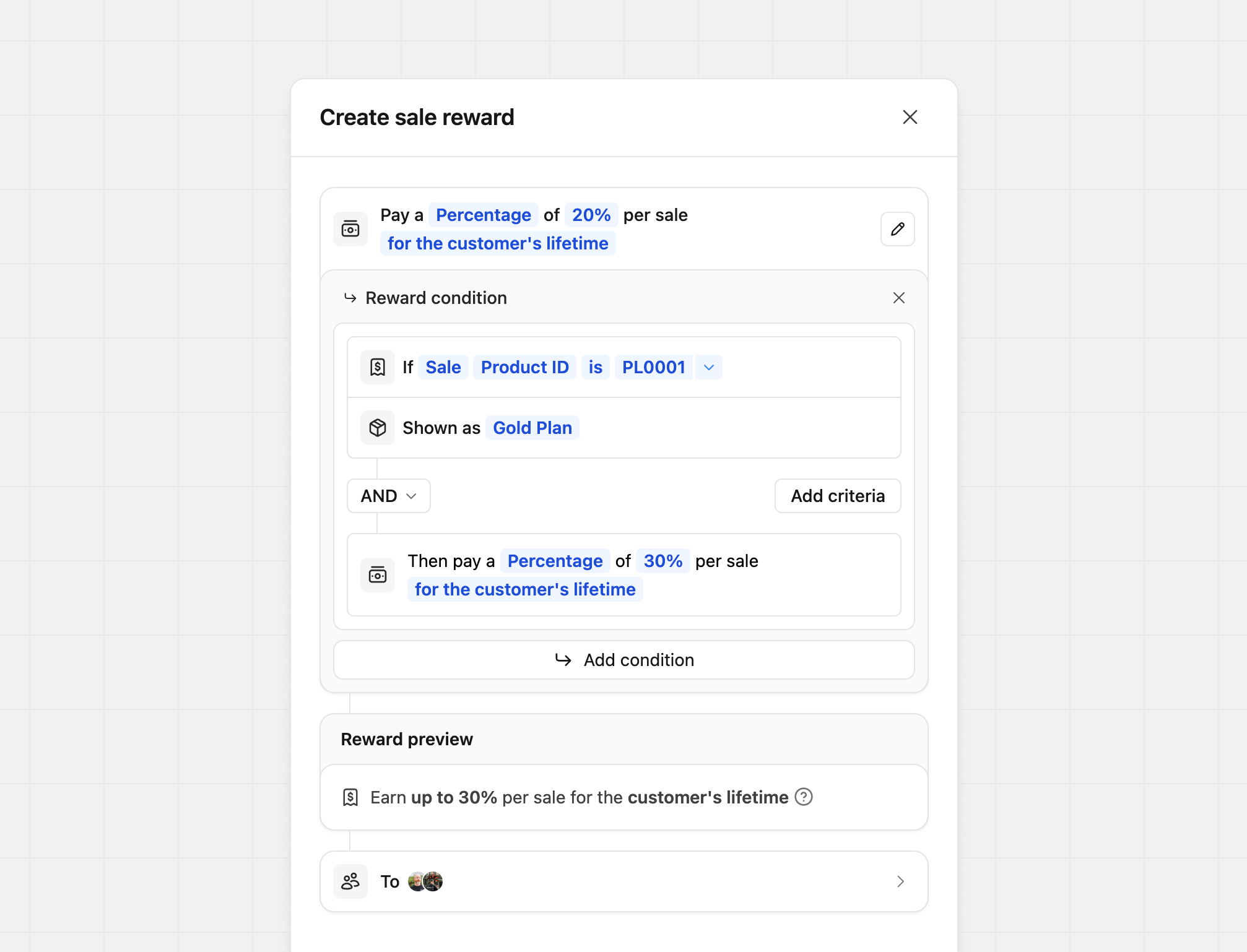
| Условие | Вознаграждение | Описание |
|---|---|---|
IfSale Product ID is prod_xxx | Then pay a Percentage of 40% per sale | Повышенное вознаграждение для продаж prod_xxx |
If Sale Product ID is not prod_xxx | Then pay a Percentage of 10% per sale | Пониженное вознаграждение для остальных продуктов |
Вы также можете задать, что партнёр видит в качестве названия продукта,
добавив поле Shown as к вознаграждению.
Например, если вы хотите показать продукт как «Gold Plan» вместо фактического
ID продукта, вы можете установить Shown as в Gold Plan.
Где указано Your product ID, вы вводите ID вашего продукта (на скриншоте
используется пример ID продукта).
Если вы передаёте события продаж из биллинговой системы, ID продукта — это идентификатор продукта/плана из этой системы (например, код продукта ЮКассы).
Если вы вручную отслеживаете событие продажи через наш эндпоинт /track/sale,
вы можете передать ID продукта через параметр
metadata
(например, metadata.productId = "prod_xxx").
Уровни эффективности партнёров
Настройте сумму вознаграждения в зависимости от показателей партнёра. В этом примере мы предлагаем базовое вознаграждение 50% и увеличиваем его до 60% в зависимости от количества конверсий партнёра:
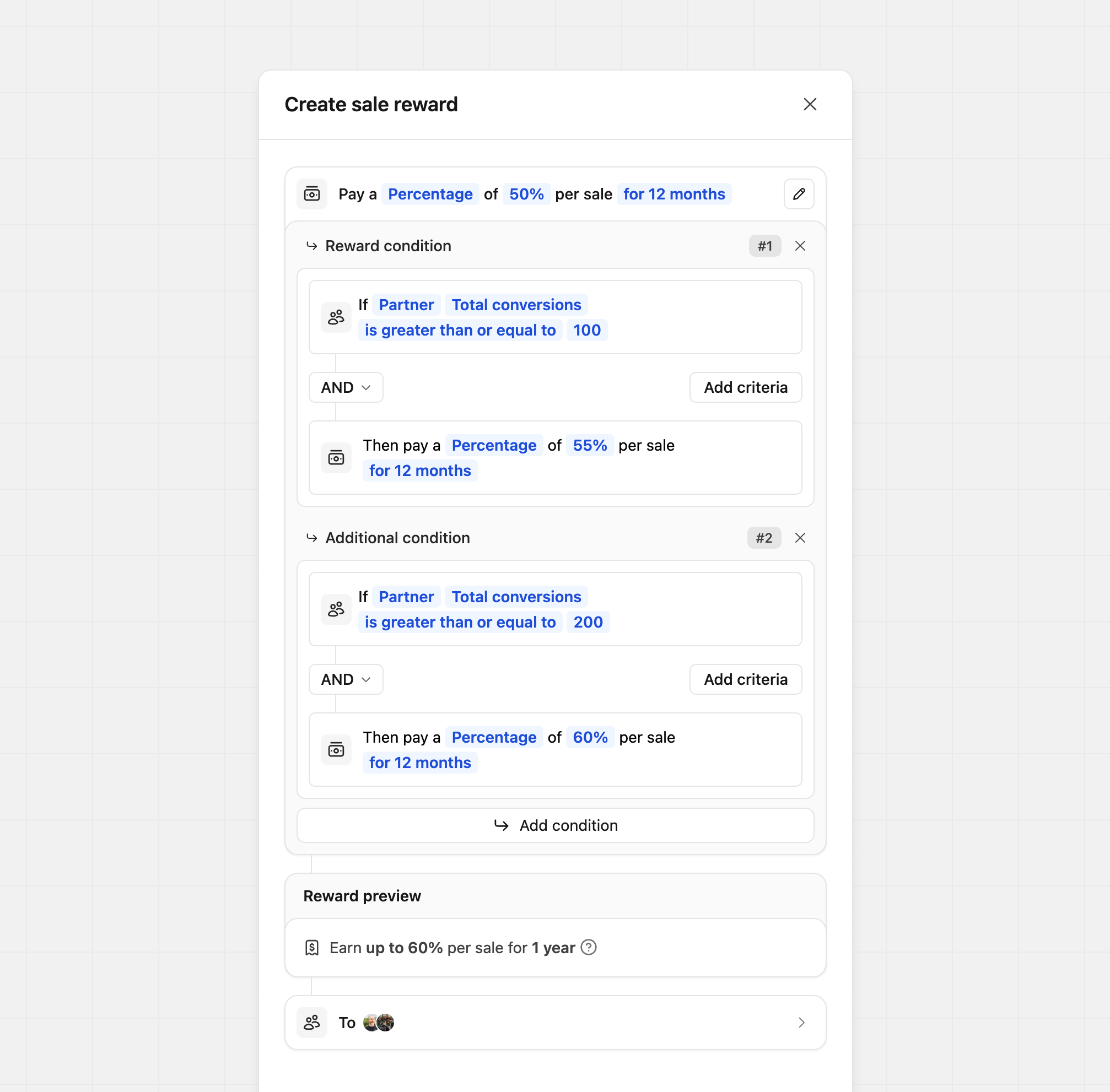
| Условие | Вознаграждение | Описание |
|---|---|---|
If Partner Total conversions is greater than or equal to 200 | Then pay a Percentage of 60% per sale | Повышенное вознаграждение для партнёров с более чем 200 конверсиями |
If Partner Total revenue is greater than or equal to $10,000 | Then pay a Percentage of 60% per sale | Повышенное вознаграждение для партнёров с доходом более $10K |
If Partner Total commissions is greater than or equal to $1,000 | Then pay a Percentage of 60% per sale | Повышенное вознаграждение для партнёров, заработавших более $1K |
Хотите вместо этого перемещать партнёров в другую группу на основе их показателей? Узнайте больше о правилах перемещения групп.
Ступенчатые сроки вознаграждений
Настройте сумму вознаграждения в зависимости от продолжительности подписки клиента, даты начала подписки или даты регистрации.
В этом примере мы предлагаем вознаграждение 25% в первые 12 месяцев и 10% за все остальные продажи:
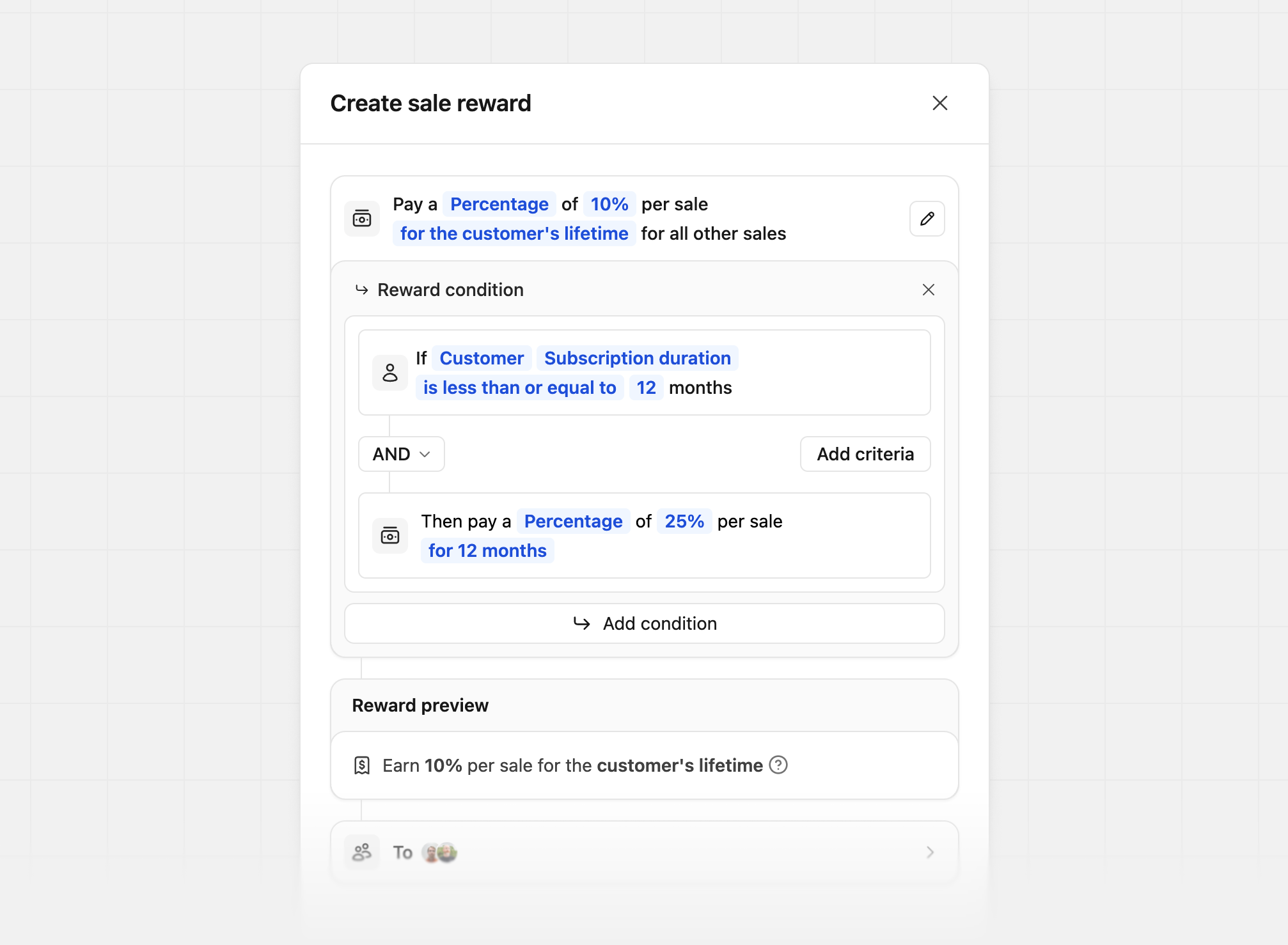
Существует 3 различных условия для ступенчатых сроков вознаграждений:
| Тип условия | Описание | Пример |
|---|---|---|
| Customer’s subscription duration | Как долго клиент находится на подписке | 25% в первые 12 месяцев, 10% за остальное время жизни клиента |
| Customer’s subscription start date | Дата начала подписки клиента | 25% если подписка до 1 января 2026, иначе 10% |
| Customer’s signup date | Дата регистрации клиента в вашем продукте | 25% если регистрация до 1 января 2026, иначе 10% |
Модификаторы суммы продажи
Для создания ступенчатых вознаграждений на основе суммы продажи. В этом примере мы предлагаем партнёрам повышенное вознаграждение, если сумма продажи превышает определённую сумму:
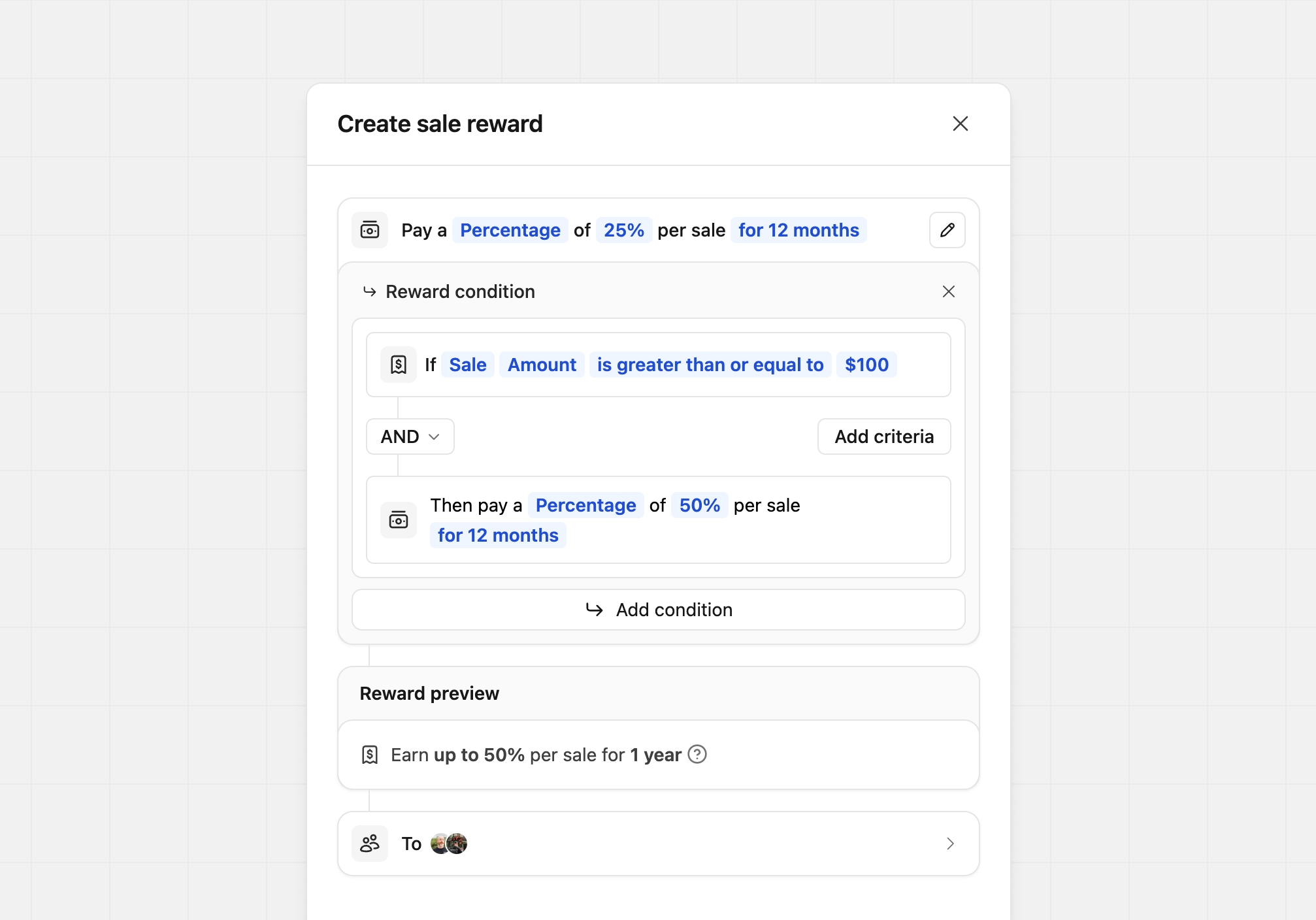
| Условие | Вознаграждение | Описание |
|---|---|---|
If Sale Amount is greater than or equal to $100 | Then pay a Percentage of 60% per sale | Повышенное вознаграждение за продажи свыше $100 |
If Sale Amount is less than or equal to $100 | Then pay a Percentage of 60% per sale | Пониженное вознаграждение за продажи менее $100 |
Обновление конфигурации вознаграждений группы партнёров
Вы можете обновить конфигурацию вознаграждений группы партнёров в любое время. При этом исторические комиссии не будут обновлены.
Однако конфигурация вознаграждений для пары партнёр-клиент будет обновлена. Например, если партнёр ранее был на разовом вознаграждении и был переведён на повторяющиеся, все последующие продления подписок от его предыдущих рефералов снова станут доступны для начисления комиссии.
Чтобы этого избежать, вместо прямого редактирования конфигурации вознаграждений группы создайте отдельные группы партнёров для разовых и повторяющихся вознаграждений. Таким образом, при перемещении партнёров из одной группы в другую конфигурация вознаграждений для предыдущих рефералов партнёра будет сохранена.
Журнал обновлений вознаграждений группы
Для прозрачности и возможности аудита мы также ведём историю всех обновлений вознаграждений для данной группы:

Это помогает отслеживать изменения со временем и понимать влияние ваших конфигураций вознаграждений на сгенерированные комиссии партнёров.