В Revroute вы можете фильтровать между сканированиями QR-кодов и кликами по ссылкам в аналитике. Это позволяет понять, как люди находят ваши ссылки.
Вот как это сделать:
Перейдите на дашборд аналитики
Нажмите на вкладку Analytics в меню навигации вашего рабочего пространства Revroute.
Откройте выпадающий фильтр аналитики
Затем нажмите на кнопку Filter, чтобы открыть выпадающий фильтр:
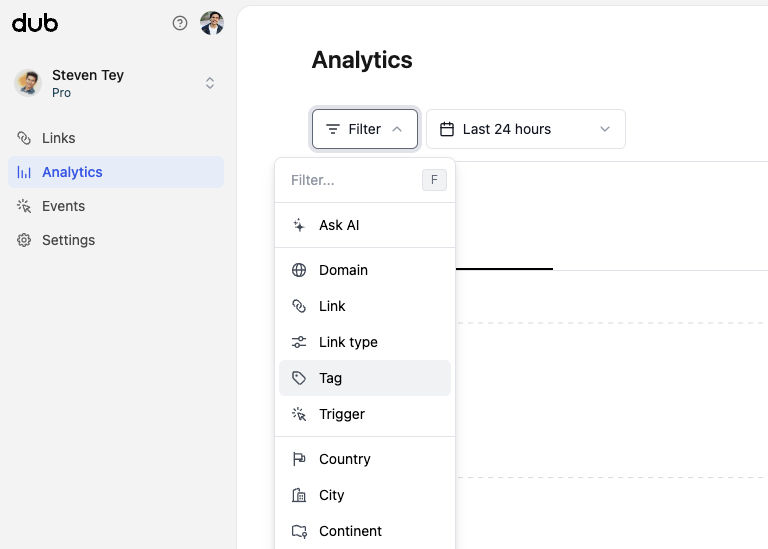
Выберите фильтр 'Trigger'
Нажмите на опцию Trigger, чтобы фильтровать между сканированиями QR-кодов и кликами по ссылкам.
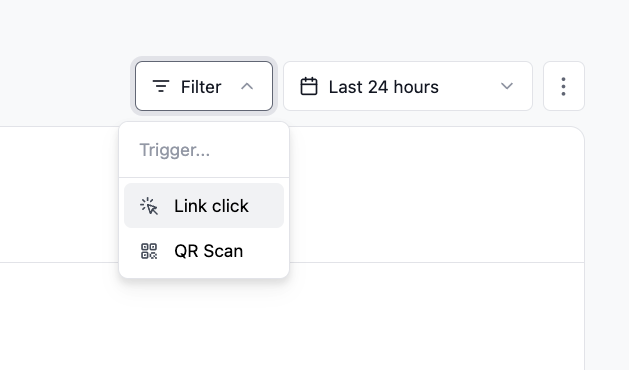
Выберите фильтрацию по кликам или QR-сканированиям
Наконец, нажмите на опцию Link click или QR Scan, чтобы фильтровать по сканированиям QR-кодов или кликам по ссылкам:
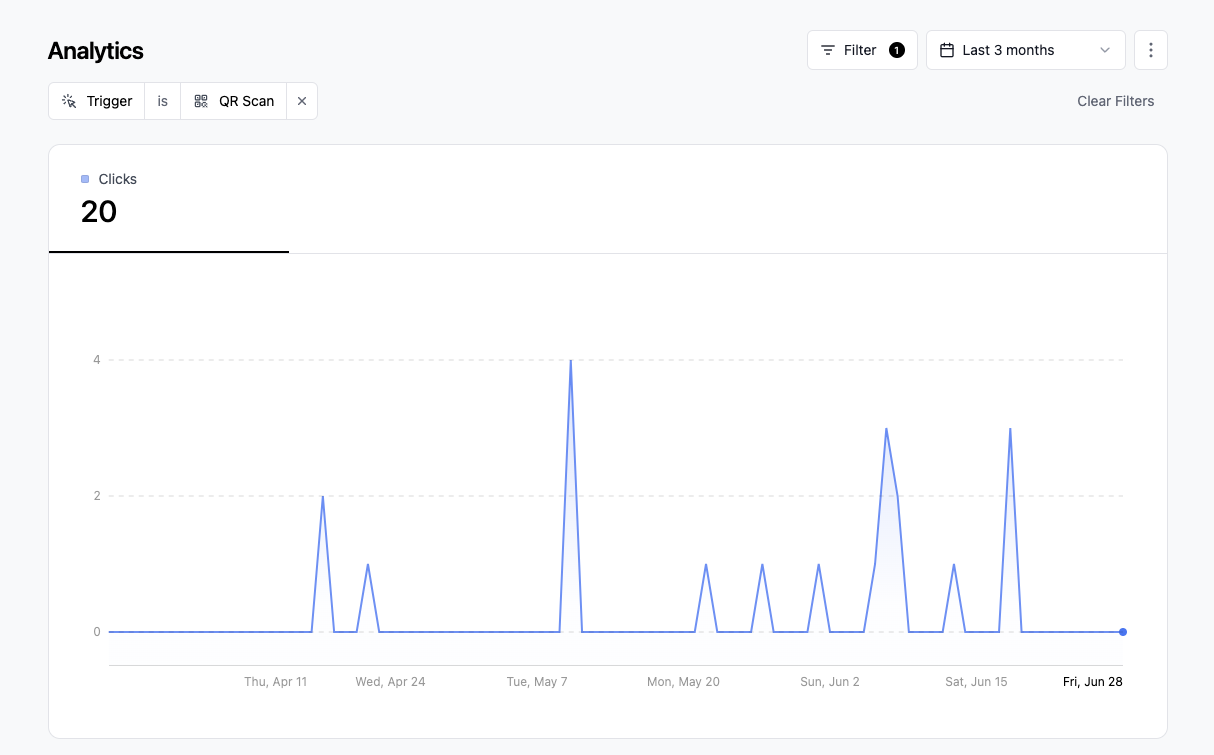
Готово! Вы успешно отфильтровали аналитику по сканированиям QR-кодов или кликам по ссылкам.
Last updated on