Атрибуция по диплинкам требует подписки Business plan или выше.
Мощная платформа атрибуции Revroute позволяет понять, насколько эффективно ваши диплинки конвертируются в реальных пользователей и доход внутри вашего приложения.
Эта функция в настоящее время доступна только для iOS (Swift) и React Native. Поддержка Android (Kotlin) скоро появится. Если вы хотите получить ранний доступ, свяжитесь с нами .
Предварительные требования
Затем вам потребуется сгенерировать публичный ключ в вашем рабочем пространстве Revroute для отслеживания конверсий на стороне клиента.
Для этого перейдите на страницу настроек отслеживания вашего рабочего пространства и сгенерируйте новый публичный ключ в разделе Publishable Key.

После настройки можно приступать к отслеживанию событий конверсий для ваших диплинков.
Шаг 1: Установите мобильный SDK на стороне клиента
Установите Revroute React Native SDK и инициализируйте его с вашим публичным ключом и доменом коротких ссылок.
Шаг 2: Отслеживание событий открытия диплинков
После инициализации SDK вы можете начать отслеживать события диплинков и отложенных диплинков.
Вызовите trackOpen на экземпляре dub для отслеживания событий открытия диплинков и отложенных диплинков. Функция trackOpen должна быть вызвана один раз без параметра deepLink при первом запуске, а затем повторно с параметром deepLink каждый раз, когда приложение открывается из диплинка.
import { useState, useEffect, useRef } from "react";
import { Linking } from "react-native";
import AsyncStorage from "@react-native-async-storage/async-storage";
import dub from "@dub/react-native";

export default function App() {
  useEffect(() => {
    dub.init({
      publishableKey: "<DUB_PUBLISHABLE_KEY>",
      domain: "<DUB_DOMAIN>",
    });

    // Check if this is first launch
    const isFirstLaunch = await AsyncStorage.getItem("is_first_launch");

    if (isFirstLaunch === null) {
      await handleFirstLaunch();
      await AsyncStorage.setItem("is_first_launch", "false");
    } else {
      // Handle initial deep link url (Android only)
      const url = await Linking.getInitialURL();

      if (url) {
        await handleDeepLink(url);
      }
    }

    const linkingListener = Linking.addEventListener("url", (event) => {
      handleDeepLink(event.url);
    });

    return () => {
      linkingListener.remove();
    };
  }, []);

  const handleFirstLaunch = async (
    deepLinkUrl?: string | null | undefined,
  ): Promise<void> => {
    try {
      const response = await dub.trackOpen(deepLinkUrl);

      const destinationURL = response.link?.url;
      // Navigate to the destination URL
    } catch (error) {
      // Handle error
    }
  };

  // Return your app...
}
Если диплинк был успешно разрешён и сопоставлен с исходным кликом, объект response будет содержать целевой URL, который можно использовать для навигации пользователя на соответствующий экран.
Также он будет содержать clickId, который экземпляр dub сохранит внутренне.
Шаг 3: Отслеживание событий конверсий
Вы можете отслеживать события конверсий непосредственно в приложении с помощью методов trackLead и trackSale.
import dub from "@dub/react-native";

function trackLead(user: User) {
  try {
    await dub.trackLead({
      eventName: "User Sign Up",
      customerExternalId: user.id,
      customerName: user.name,
      customerEmail: user.email,
    });
  } catch (error) {
    // Handle sale tracking error
  }
}

function trackSale(user: User, product: Product) {
  try {
    await dub.trackSale({
      customerExternalId: user.id,
      amount: product.price.amount,
      currency: "usd",
      eventName: "Purchase",
    });
  } catch (error) {
    // Handle sale tracking error
  }
}
Также вы можете отслеживать события конверсий на стороне сервера, отправив clickId, полученный из диплинка, на ваш бэкенд и вызвав один из эндпоинтов:
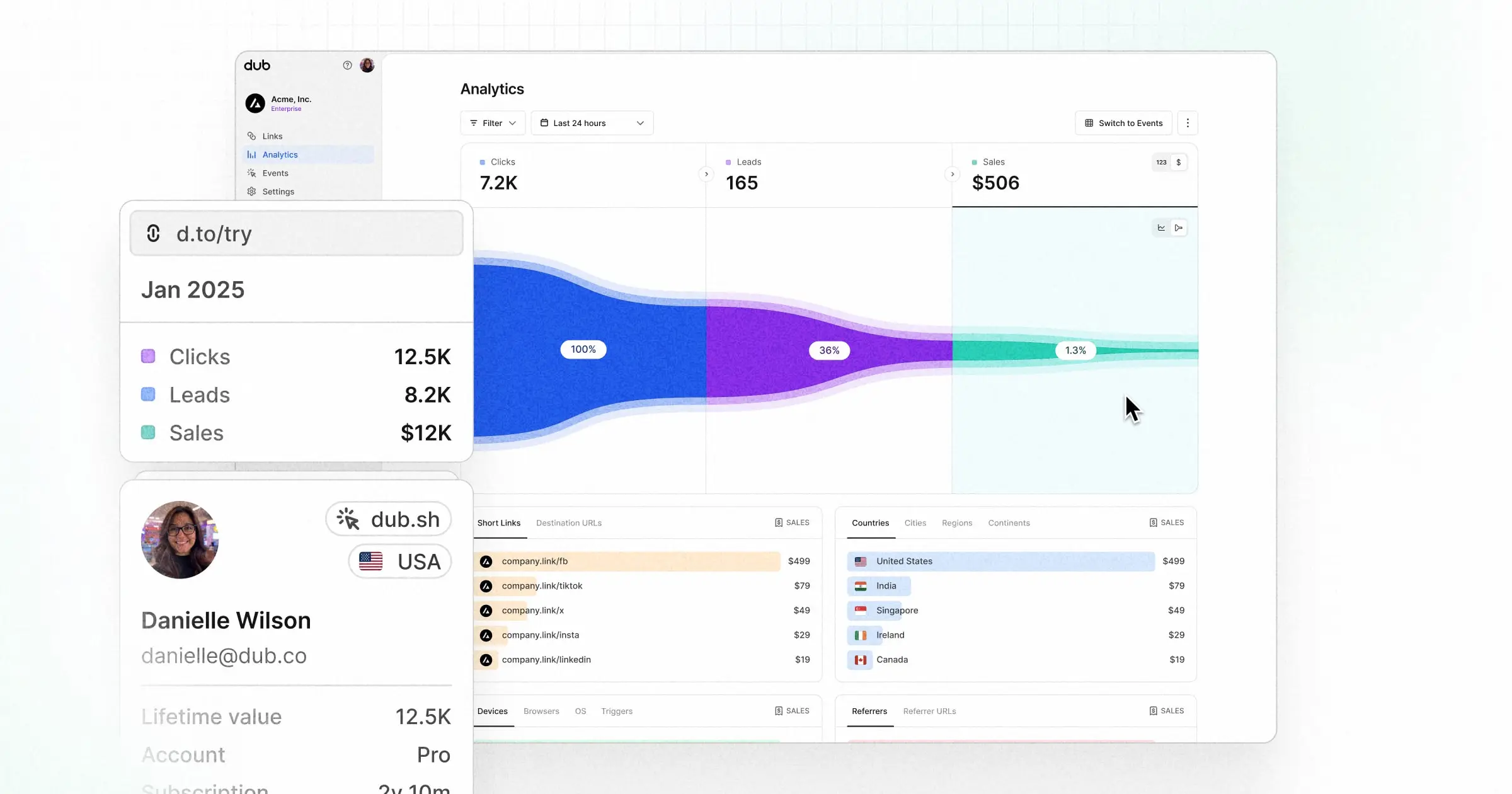
Шаг 4: Просмотр конверсий
После включения отслеживания конверсий для ваших ссылок все отслеженные конверсии будут отображаться в панели аналитики . Мы предоставляем 3 различных представления для анализа конверсий: